Publish Data with Signals
To automatically publish data to a Data Streams channel when events occur in connected services:
Note: You must have created a Data Streams channel (you'll need the Channel ID), Catalyst Signals enabled in your project, and an event source configured (e.g., Catalyst Authentication, Data Store, Zoho CRM, or custom webhooks). Signals is an event bus service that routes events from publishers to targets without requiring custom code.
- Configure a Signals Publisher (the event source that emits events).
- Navigate to your Data Streams channel.
- Go to the Dashboard tab.
- Find the Triggers section.
- Click Go to Signals next to “Signals”.
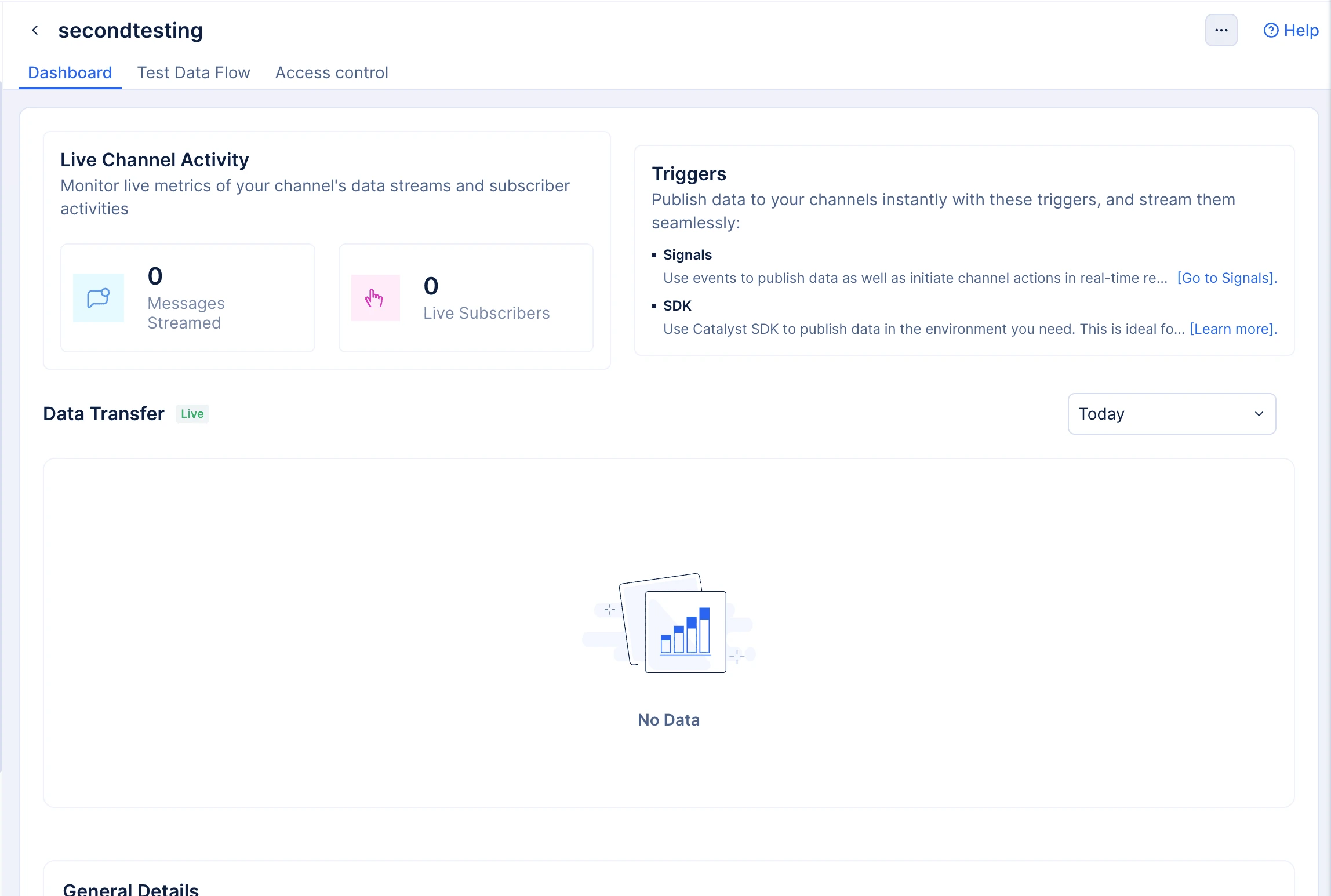
This redirects you to Catalyst Signals with the channel context pre-loaded.
-
Navigate to Catalyst Signals in the console.
-
Go to the Publishers section.
-
Click Create Publisher.
-
Select your event source:
- Catalyst Services — Authentication, Data Store, Cache, Stratus
- Zoho Services — CRM, Desk, Projects
- Custom Webhooks — External services
-
Configure the publisher settings.
-
Click Create.
Note: For detailed publisher configuration, refer to Catalyst Signals Publishers documentation.
- Create a Signals Rule (defines when and how events should be routed).
- In Catalyst Signals, navigate to Rules.
- Click Create Rule.
- Configure the rule:
- Name — Descriptive name (e.g., “Route user signups to notifications channel”)
- Publisher — Select the publisher you configured
- Event Filter — (Optional) Filter specific events
- Condition — (Optional) Add conditions to route only certain events
- Click Create.
Note: For detailed rule configuration, refer to Signals Rules documentation.
- Add a Data Streams Target (specifies where the event should be sent).
- While creating or editing a rule, scroll to the Targets section.
- Click Add Target.
- Select Data Streams from the target type dropdown.
- Enter your Channel ID (from the Data Streams console).
- Click Add.
- Save the rule.
Note: For detailed target configuration, refer to Signals Targets documentation.
-
Test the configuration by triggering an event in your source service:
- Catalyst Authentication — Create a test user signup
- Data Store — Insert a row in the configured table
- Zoho CRM — Create or update a record
- Custom Webhook — Send a test POST request
-
Verify in Data Streams:
- Navigate to your Data Streams channel.
- Go to the Test Data Flow tab.
- Click the Receive tab.
- Click Activate Stream.
- Watch the event appear in real-time.
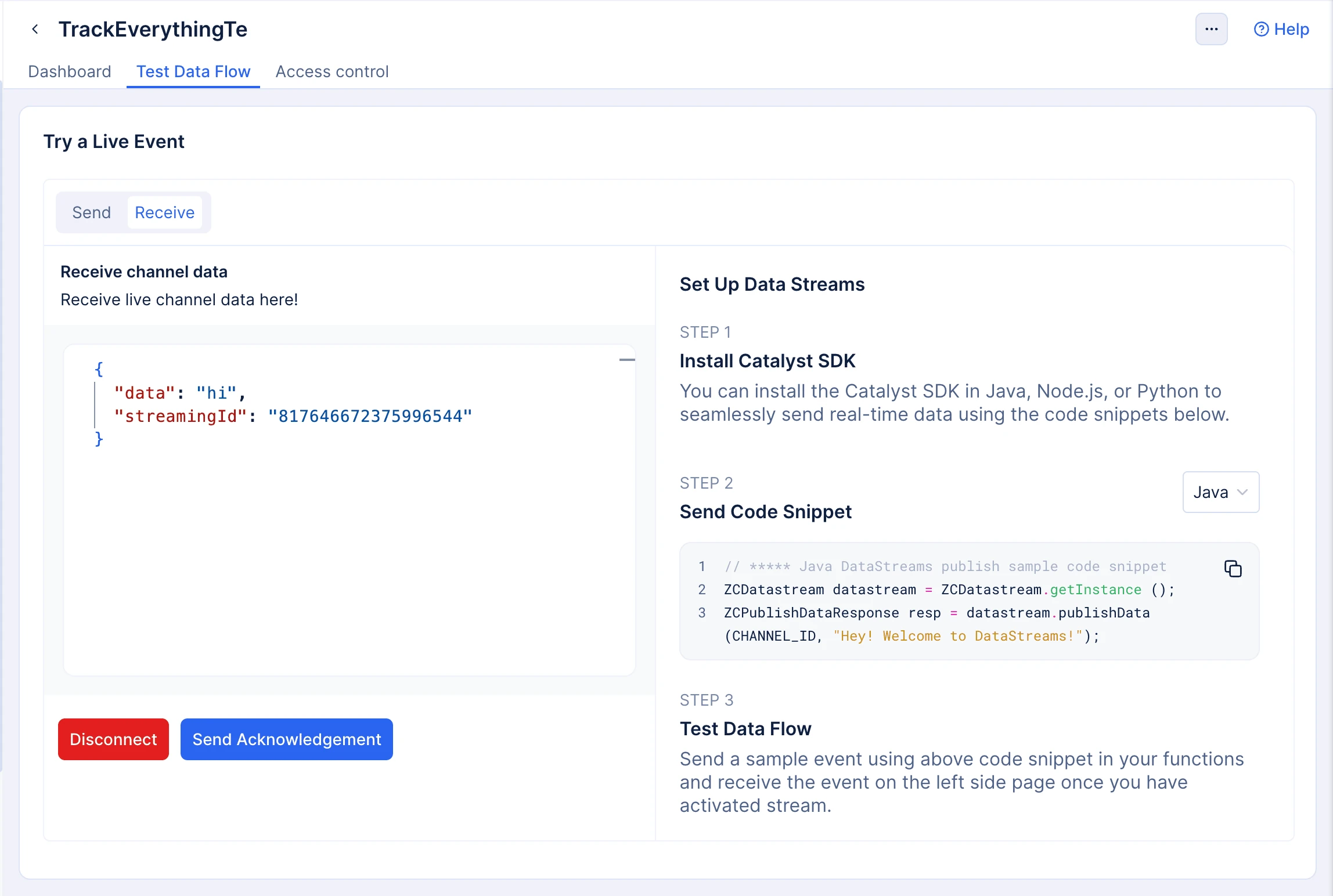
When events occur in connected services, Signals automatically publishes them to your Data Streams channel where all connected subscribers receive the data in real-time.
Last Updated 2026-10-08 12:04:32 +0530 IST
Yes
No
Send your feedback to us
Skip
Submit
 Ask ChatGPT
 Ask Claude
 Ask Perplexity