HIPAA Compliance in Catalyst
Introduction
HIPAA (Health Insurance Portability and Accountability Act) is an Act enacted by the government of the United States that governs the distribution of information in the healthcare sector. Individually Identifiable Health Information (IIHI) and Personally identifiable information (PII) that are protected by HIPAA regulations on the basis of certain pre-defined norms and conditions, including their transmission, usage or maintenance through electronic media, are categorized as Protected Health Information (PHI).
Examples of such PHI identifiers include, but are not limited to, personal and contact information such as name, address, and telephone numbers, medical history and information including Medical Record Number (MRN) and Medicare Beneficiary Identifier (MBI), identity information such as Social Security Number and vehicle identifiers.
Catalyst adheres to the standards enforced on covered entities that will need to implement recognized security practices in safeguarding ePHI in the absence of an individual’s authorization. The compliance with these regulations ensures that the provision to protect the integrity, confidentiality, and security of all end-user data that falls under PHI will be provided in the Catalyst development platform. This indicates that all applications, microservices, and solutions built on Catalyst can be fully compliant with the necessary standards and guidelines enforced by HIPAA.
Implementation of HIPAA Compliance in Catalyst
Catalyst has upgraded several features in the settings and the components that store, process, or handle end-user PHI to enable compliance with the latest HIPAA guidelines. The Cloud Scale components that fall under this category include:
- Data Store
The Profiles and Permissions settings, that enables a Catalyst account member to specify component access permissions that can be granted to various profiles, has also been upgraded following the changes in these components.
Similarly, the Audit Logs feature that displays the logs of activities performed in a project is now revamped to handle sensitive and protected user data.
Let’s look at these changes in detail.
Storing ePHI in Data Store
Cloud Scale’s Data Store component can store user data in tables. To enable the storage of ePHI data in a HIPAA compliant manner, we have now included a PII/ePHI Validator for columns in this component.
You can mark a column in a table as containing protected information by enabling this validator while creating the column or by editing a column at any time.
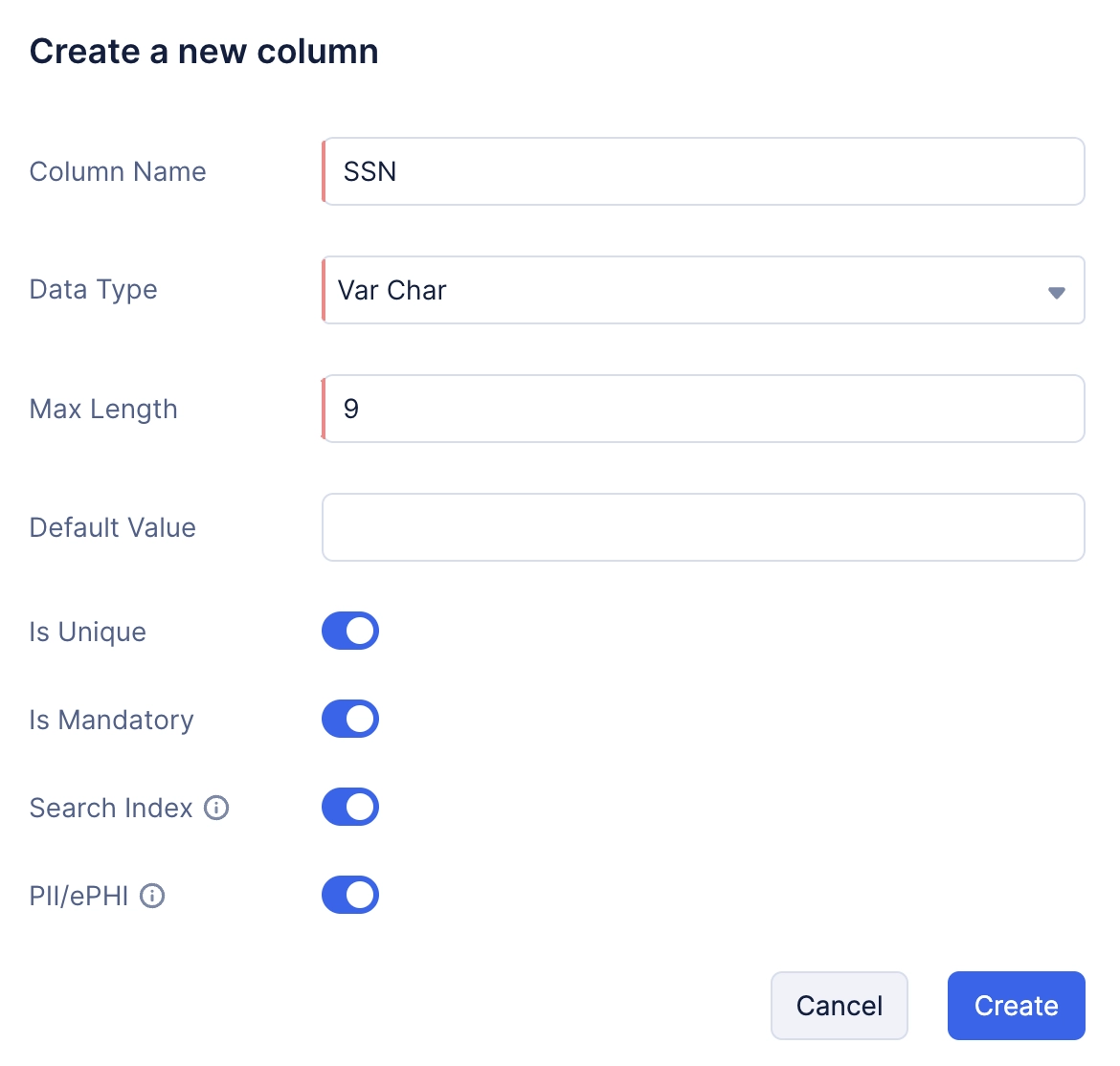
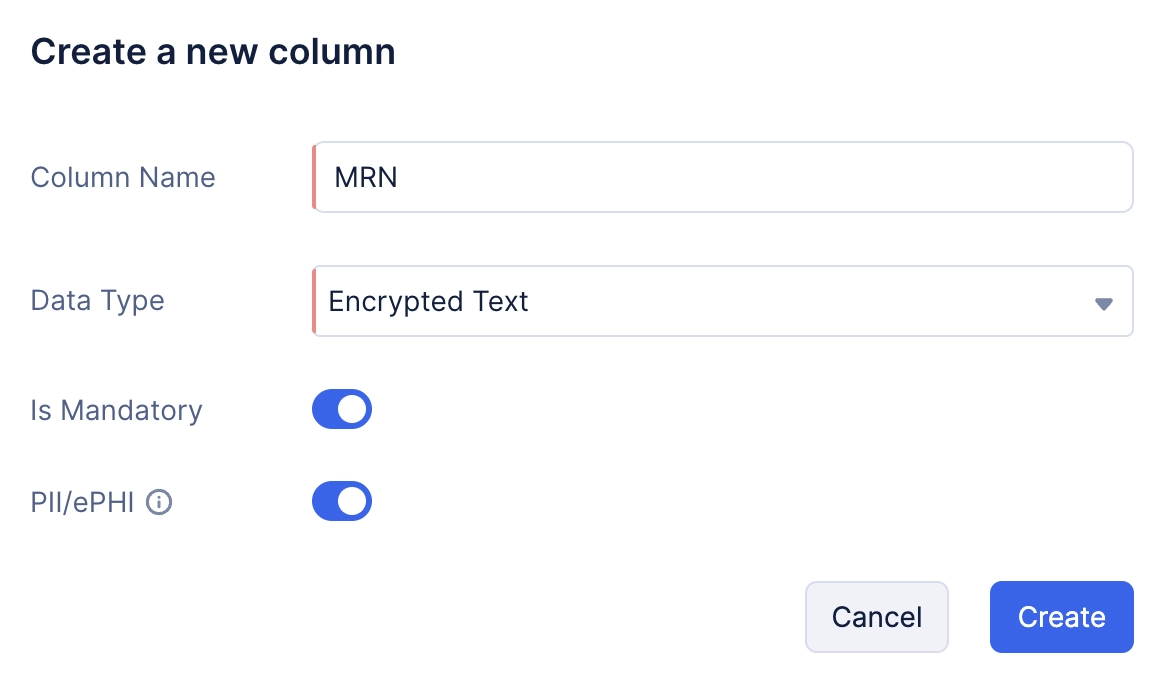
Additionally, you can store sensitive data in a table by selecting the data type for the required columns as Encrypted text. This enables you to encrypt long-form text that contains protected data.
When this validator is enabled for a column or a folder, only Catalyst account admins and project members with the necessary permissions will be able to view or access the data in these columns or folders.
Defining the Access to ePHI in Profiles and Permissions
Catalyst admins will now be able to assign the access to Data Store, Signals, and Logs components, in a fine-grained manner. That is, they can grant individual access to each of these components for each access type and each custom profile they create, only to specific profiles that require them. They can then assign an appropriate profile to a project member accordingly.
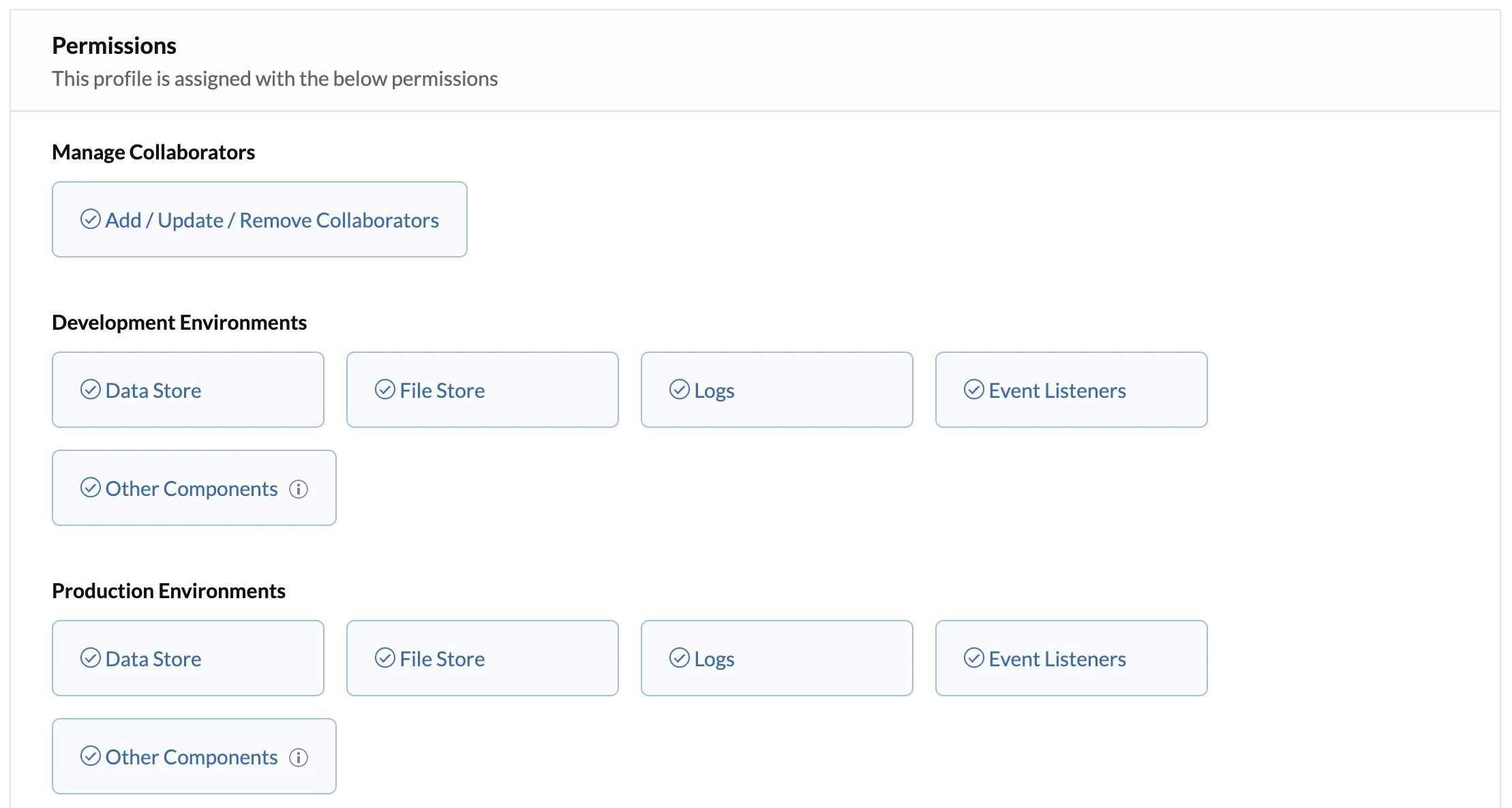
You can refer the Profiles and Permissions help page for details about the conditions on enabling these permissions, and the need for individual permissions to access Signals and Logs.
Storing and Displaying ePHI in Audit Logs
Audit Logs in settings now includes Application Logs that will display the logs of activities performed at the application level pertaining to ePHI in the Data Store component. These logs will therefore display:
- Any creation, updation, or deletion of rows in a column with the ePHI validator enabled in the Data Store
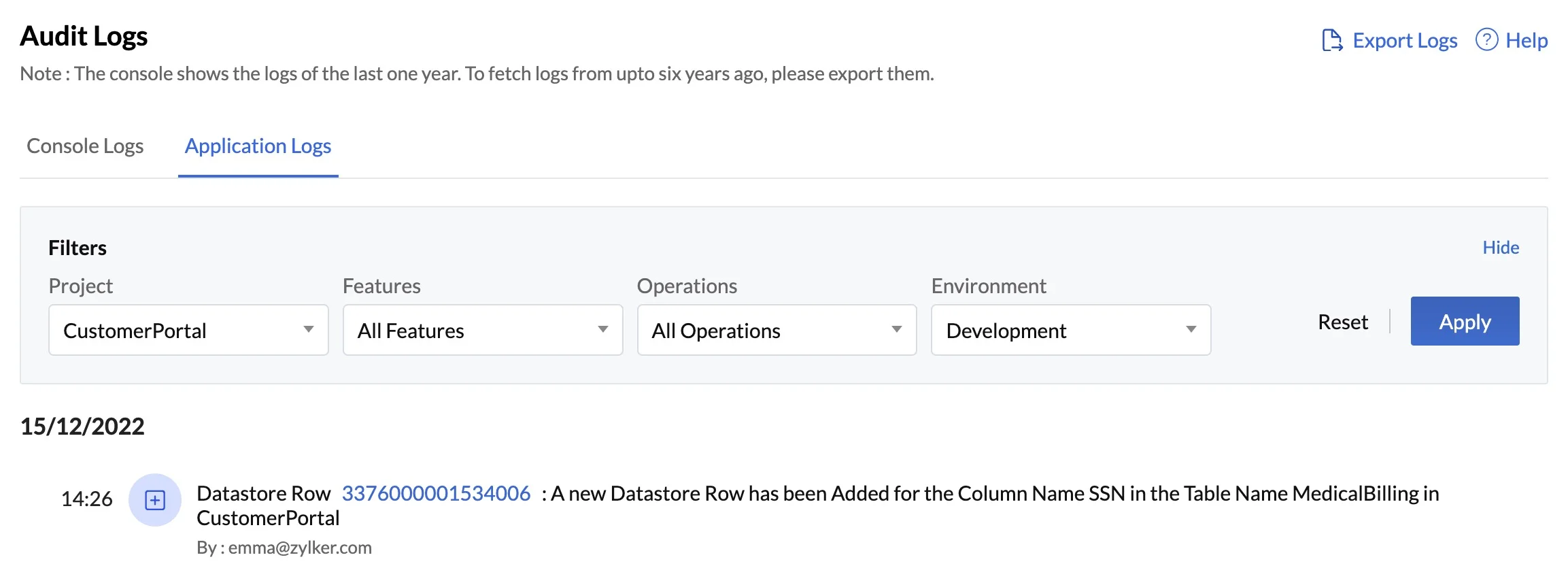
Catalyst now also enables you to fetch logs from up to six years ago by exporting them from the console. To further ensure the compliance with HIPAA regulations, only Catalyst account admins will be able to export application logs and download them into their local systems. Project members will not be able to perform this action.
With all these changes incorporated in the Catalyst development platform, you can now easily build applications and microservices that are fully compliant with HIPAA regulations.
Last Updated 2026-08-28 11:56:16 +0530 IST
Yes
No
Send your feedback to us
 Ask ChatGPT
 Ask Claude
 Ask Perplexity