Pull a Specific Resource
You can pull a specific resource from your project in the following way:
copy
$
catalyst pull [feature]
You must specify the keyword client , functions , or apig . For example, to pull functions alone, execute the following command from your project directory:
copy
$
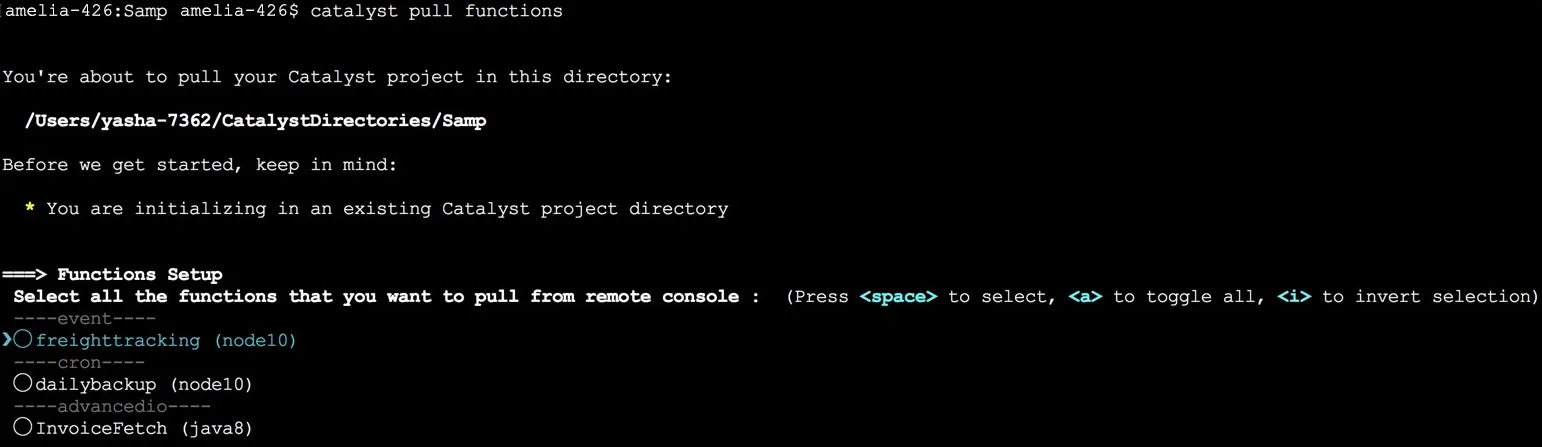
catalyst pull functions
This will list all the functions that you can pull into your directory. You can select and pull the required resources as discussed in the previous section.
Info: This command is available in Non-interactive mode. Refer to the Non-Interactive Catalyst CLI Commands page for the complete syntax.
Last Updated 2026-09-02 16:47:14 +0530 IST
Yes
No
Send your feedback to us
Skip
Submit
 Ask ChatGPT
 Ask Claude
 Ask Perplexity