Connect to Headless Chrome or Firefox
Catalyst SmartBrowz will generate a CDP/Webdriver endpoint once you create a Browser Grid. This endpoint will be made secure using an unique API key, which will also be generated by the SmartBrowz service.
You need to use this secure endpoint in your code to connect to the remote browser and activate the grid.
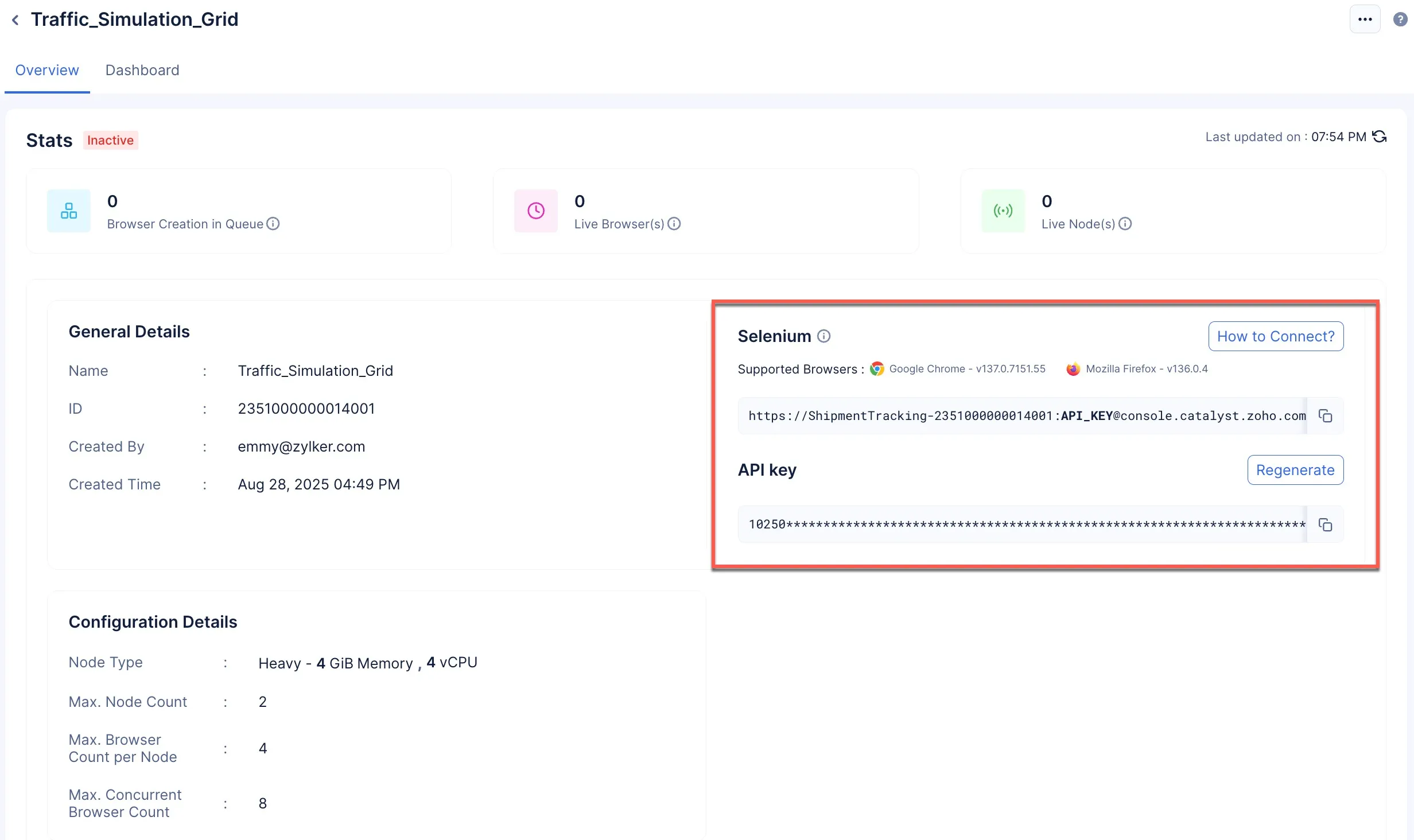
The SmartBrowz console also provides you with the required code snippets in Java, Node.js and Python function stack.
To access the required code snippet:
-
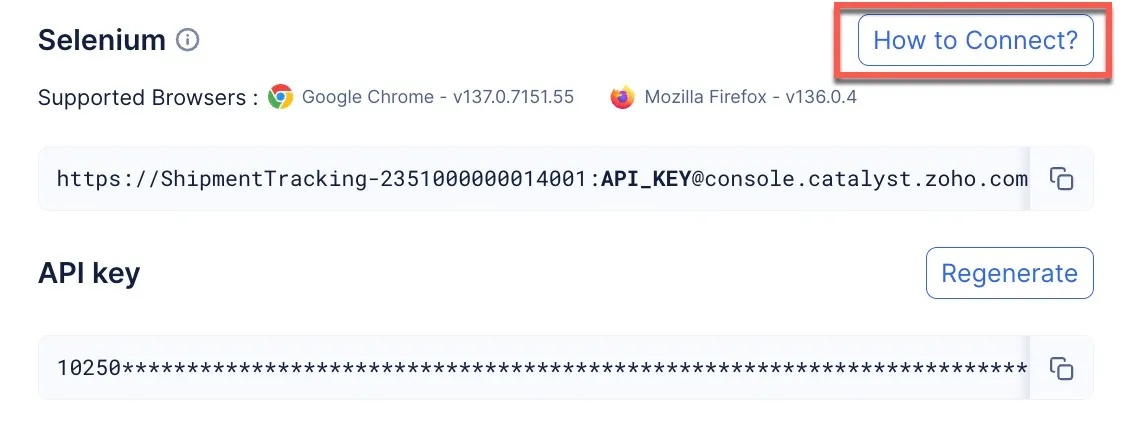
Click How to Connect?
-
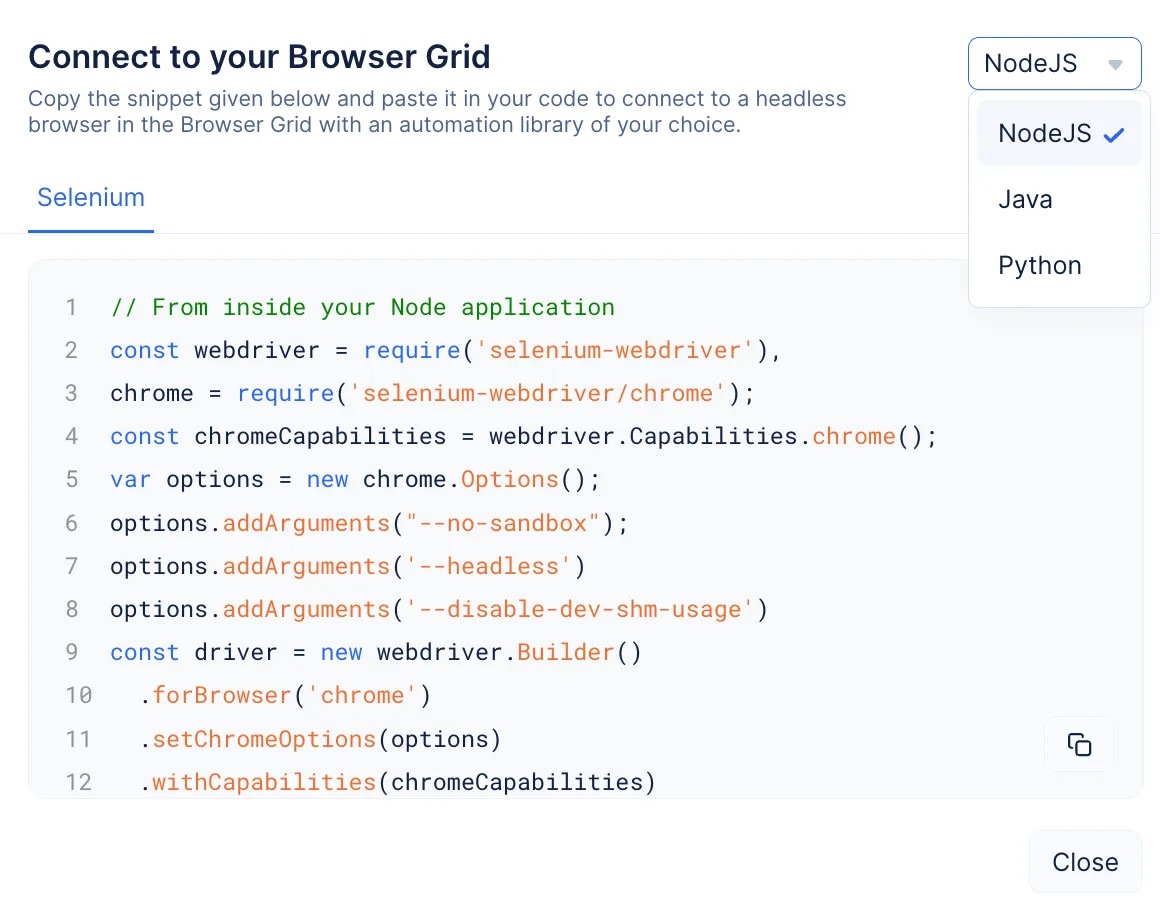
You will be able to view and copy the code snippet that you need to use to connect to the headless browsers. You can use the drop-down to select your required runtime.
-
You need to paste the snippet to your code file and execute it to trigger the browser grid and connect to your headless browsers.
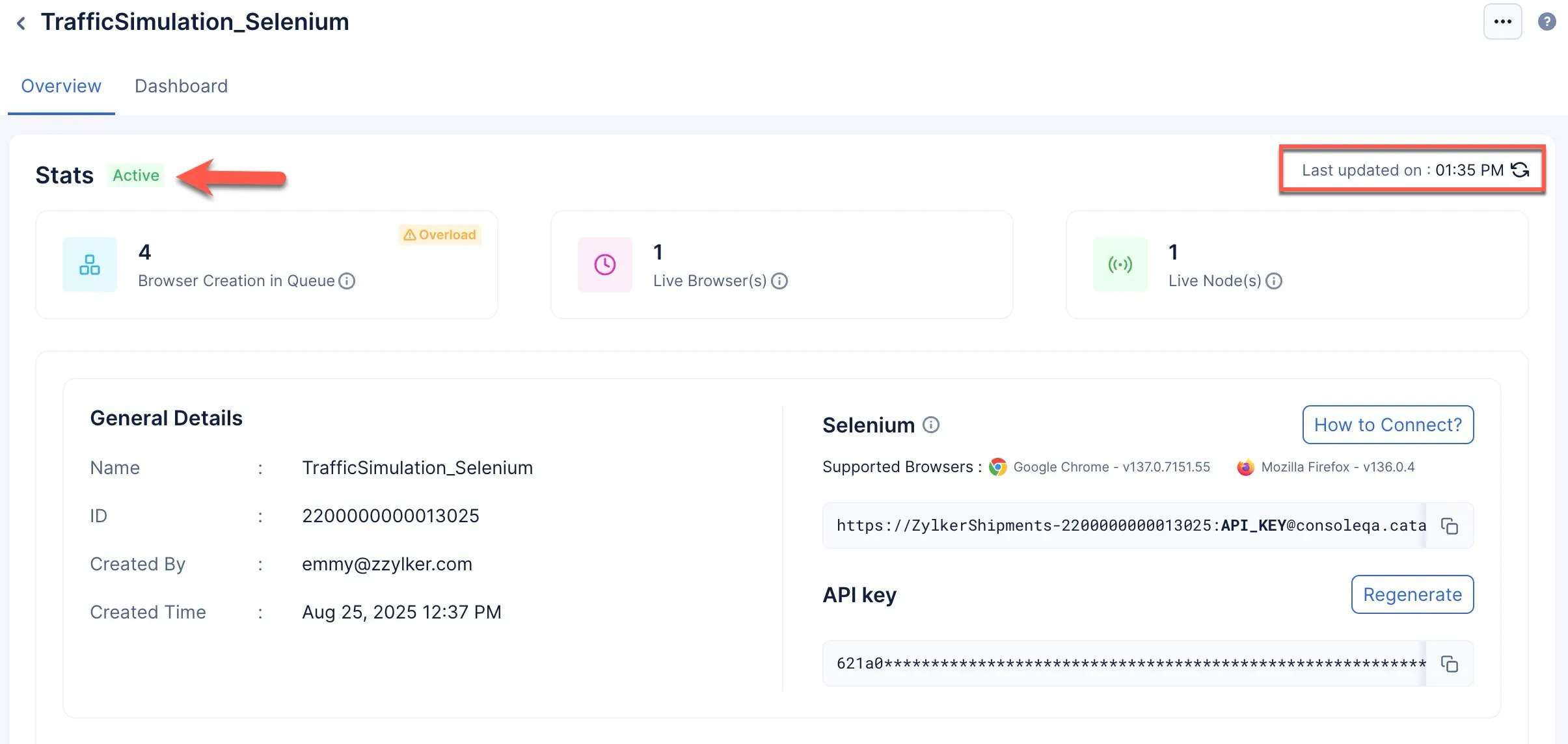
Once connected, the grid will be marked Active. Based on your configuration, the nodes will spawn the required number of browsers to process your requests.
Code Snippets to Connect to the Headless Browser
The following are code snippets that you need to copy and use in your code to activate your browser grid and connect to the headless browser.
import java.net.MalformedURLException;
import java.net.URL;
import org.openqa.selenium.Capabilities;
import org.openqa.selenium.remote.RemoteWebDriver;
import org.openqa.selenium.chrome.ChromeOptions;
public class RemoteChromeLoggingExample {
public static void main(String[] args) throws MalformedURLException {
ChromeOptions options = new ChromeOptions();
options.addArguments("–no-sandbox");
options.addArguments("–headless");
URL remoteUrl = new URL(“YOUR_WEBDRIVER_ENDPOINT”);
RemoteWebDriver driver = new RemoteWebDriver(remoteUrl, options);
Capabilities caps = driver.getCapabilities();
String browserName = caps.getBrowserName();
String browserVersion = caps.getBrowserVersion();
System.out.println(“Browser: " + browserName + " " + browserVersion);
driver.get(“https://example.com”);
System.out.println(“Page title is: " + driver.getTitle());
driver.quit();
}
}
import java.net.MalformedURLException;
import java.net.URL;
import org.openqa.selenium.Capabilities;
import org.openqa.selenium.firefox.FirefoxOptions;
import org.openqa.selenium.remote.RemoteWebDriver;
public class RemoteFirefoxLoggingExample {
public static void main(String[] args) throws MalformedURLException {
FirefoxOptions options = new FirefoxOptions();
options.addArguments("–headless");
options.addArguments("–no-sandbox");
options.addArguments("–disable-dev-shm-usage");
URL remoteUrl = new URL(“YOUR_WEBDRIVER_ENDPOINT”);
RemoteWebDriver driver = new RemoteWebDriver(remoteUrl, options);
Capabilities caps = driver.getCapabilities();
String browserName = caps.getBrowserName();
String browserVersion = caps.getBrowserVersion();
System.out.println(“Browser: " + browserName + " " + browserVersion);
driver.get(“https://example.com”);
System.out.println(“Page title is: " + driver.getTitle());
driver.quit();
}
}
const { Builder } = require(‘selenium-webdriver’);
const chrome = require(‘selenium-webdriver/chrome’);
(async function test() {
let options = new chrome.Options();
options.addArguments(’–headless’);
options.addArguments(’–no-sandbox’);
let driver = await new Builder()
.forBrowser(‘chrome’)
.setChromeOptions(options)
.usingServer(‘YOUR_WEBDRIVER_ENDPOINT’)
.build();
try {
await driver.get(‘https://example.com’);
console.log(await driver.getTitle());
} catch (err) {
console.error(err);
} finally {
await driver.quit();
}
})();
const { Builder, By } = require(‘selenium-webdriver’);
const firefox = require(‘selenium-webdriver/firefox’);
(async function RemoteFirefoxLoggingExample() {
let options = new firefox.Options();
options.addArguments(’–headless’);
let driver = await new Builder()
.forBrowser(‘firefox’)
.setFirefoxOptions(options)
.usingServer(‘YOUR_WEBDRIVER_ENDPOINT’)
.build();
try {
await driver.get(‘https://example.com’);
console.log(await driver.getTitle());
} catch (err) {
console.error(err);
} finally {
await driver.quit();
}
})();
import asyncio
from selenium import webdriver
from selenium.webdriver.chrome.options import Options
async def index():
options = Options()
options.add_argument("–disable-extensions")
options.add_argument("–no-sandbox")
options.add_argument("–headless")
options.add_argument("–disable-dev-shm-usage")
driver = webdriver.Remote(
command_executor=“YOUR_WEBDRIVER_ENDPOINT”,
options=options
)
driver.get(“https://example.com”)
driver.save_screenshot(“screenshot.png”)
driver.quit()
async def my_async_function():
await index()
if name == “main”:
asyncio.run(my_async_function())
import asyncio
from selenium import webdriver
from selenium.webdriver.firefox.options import Options
async def index():
options = Options()
options.add_argument("–headless")
capabilities = {
“browserName”: “firefox”,
“browserVersion”: “latest”,
“platformName”: “linux”
}
driver = webdriver.Remote(
command_executor=“YOUR_WEBDRIVER_ENDPOINT”,
desired_capabilities=capabilities,
options=options
)
driver.get(“https://example.com”)
driver.save_screenshot(“screenshot.png”)
driver.quit()
async def my_async_function():
await index()
if name == “main”:
asyncio.run(my_async_function())
const puppeteer = require(“puppeteer”);
(async () => {
const browser = await puppeteer.connect({
browserWSEndpoint: “YOUR_ENDPOINT”
});
const page = await browser.newPage();
await page.goto(“https://example.com”);
await page.screenshot({ path: “remote-example.png” });
await browser.disconnect();
})();
import asyncio
from pyppeteer import connect
async def main():
browser = await connect({
‘browserWSEndpoint’: ‘YOUR_ENDPOINT’
})
page = await browser.newPage()
await page.goto(“https://example.com”)
await page.screenshot({‘path’: ‘screenshot.png’})
await browser.close()
asyncio.run(main())
package com.example;
import java.nio.file.Paths;
import com.microsoft.playwright.*;
public class Test {
public static void main(String[] args) {
try (Playwright playwright = Playwright.create()) {
BrowserType browserType = playwright.chromium();
Browser browser = browserType.connectOverCDP(“YOUR_ENDPOINT”);
Page page = browser.newPage();
page.navigate(“https://example.com”);
System.out.println(“Title: " + page.title());
page.screenshot(new Page.ScreenshotOptions().setPath(Paths.get(“screenshot.png”)));
String html = page.content();
System.out.println(“Page HTML: " + html.substring(0, Math.min(html.length(), 200)) + “…”);
browser.close();
}
}
}
const { chromium } = require(“playwright”);
(async () => {
const browser = await chromium.connectOverCDP(“YOUR_ENDPOINT”);
const context = browser.contexts().length ? browser.contexts()[0] : await browser.newContext();
const page = await context.newPage();
await page.goto(“https://example.com”);
console.log(await page.title());
await browser.close();
})();
import asyncio
from playwright.async_api import async_playwright
async def run(playwright):
browser = await playwright.chromium.connect_over_cdp(“YOUR_ENDPOINT”)
context = await browser.new_context()
page = await context.new_page()
await page.goto(“https://example.com”)
await page.screenshot(path=“screenshot.png”)
print(await page.title())
await browser.close()
async def main():
async with async_playwright() as playwright:
await run(playwright)
asyncio.run(main())
Last Updated 2025-12-19 11:24:47 +0530 IST
Yes
No
Send your feedback to us