How can I include an external JAR in a Java function and bundle it along with the Catalyst Java functions?
-
Open your Java functions in Eclipse as described in the previous answer.
-
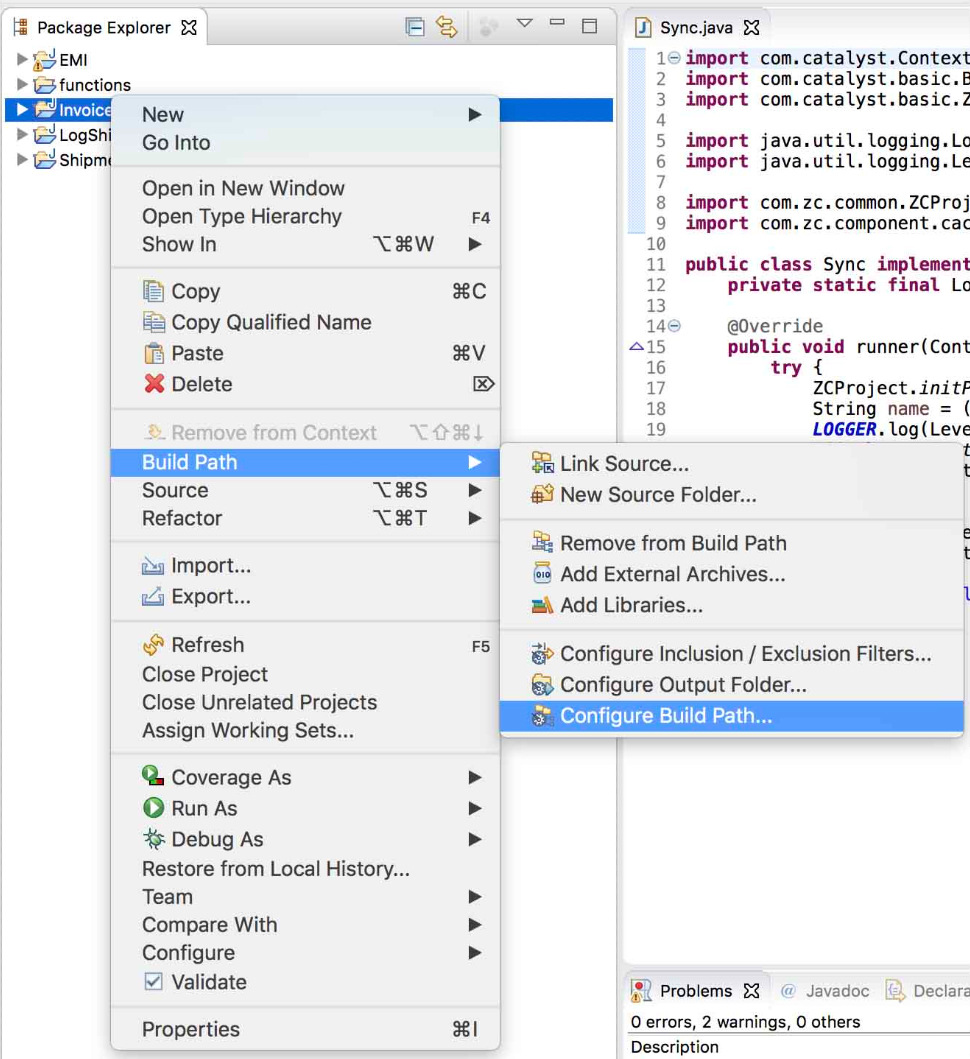
Right click on your project from the package explorer and click Build Path and then Configure Build Path…
-
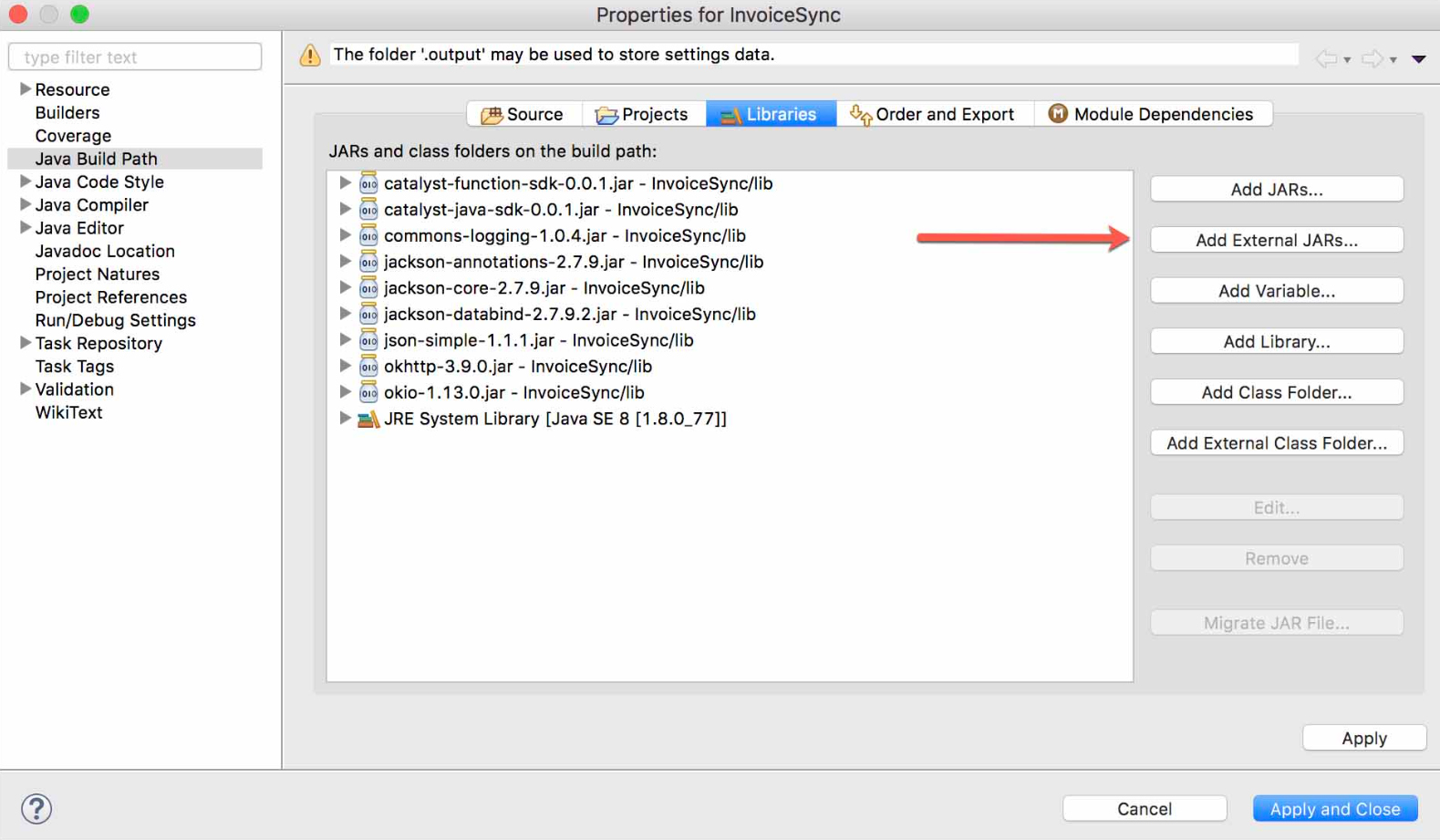
Click the Libraries tab and select Add External JARs
-
Select the JAR to be included in the pop-up window and click Open.
-
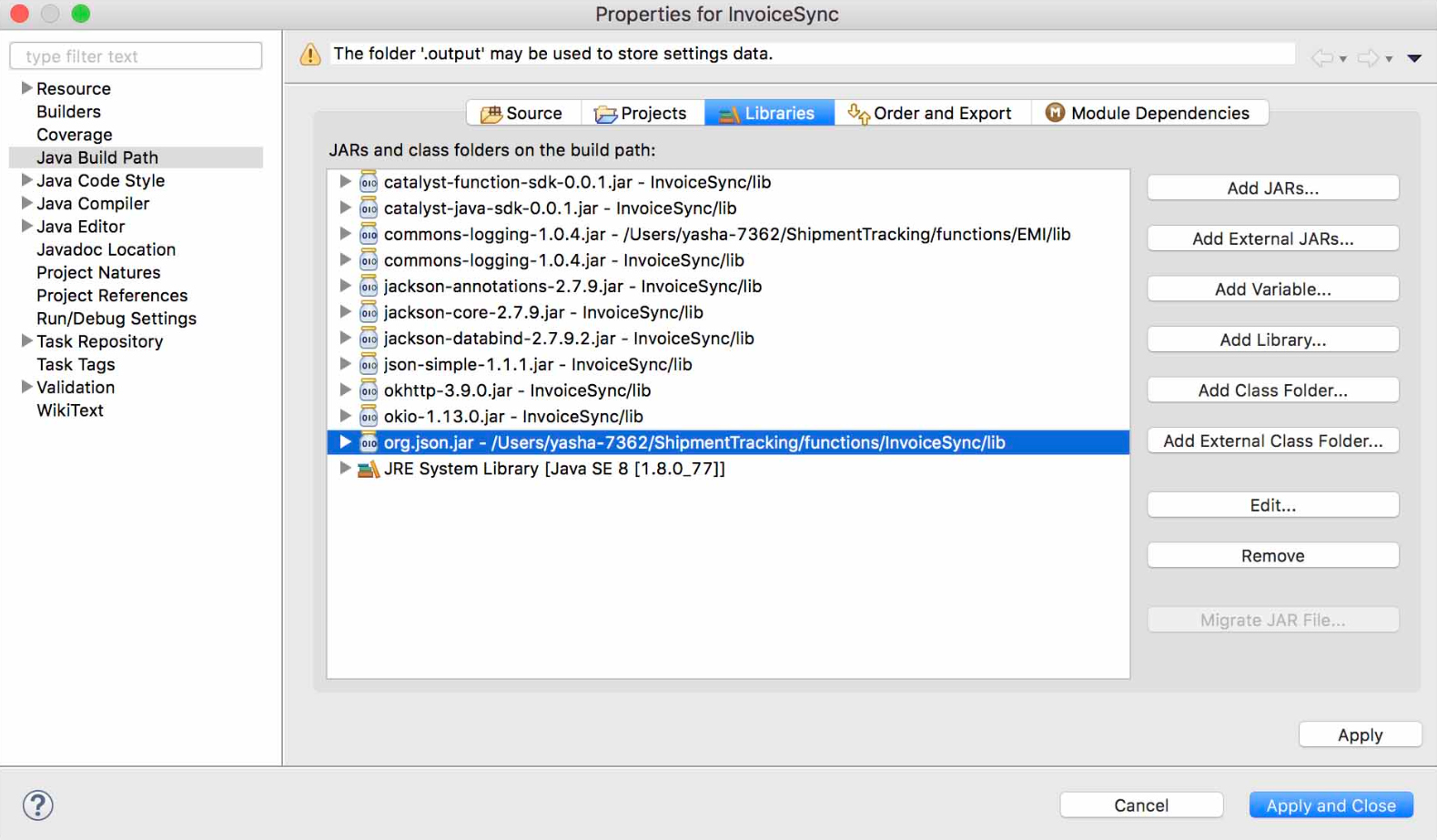
The selected JAR will be included in JARs and class folders on the build path. Click Apply and Close
-
Code your function with the JAR included and test the code by executing the following command from the CLI:
catalyst serve
You can learn about this command in detail from the Serve Resources help page.
-
You can then directly deploy the function from the CLI without worrying about the additional JAR file. Execute the following CLI command to deploy the Java functions to the remote console along with the external JAR:
catalyst deploy –only functions
You can learn about this command in detail from the Deploy Resources help page.
-
After the function has been deployed, you can verify whether the JAR has been added to your function group from the Catalyst console.
Updated
Yes
No
Send your feedback to us
Ask AI about this answer
 Ask ChatGPT
 Ask Claude
 Ask Perplexity