How do I delete an existing project in Catalyst?
You can delete a Catalyst project in the following way:
-
Open the project from the Catalyst console.
-
Navigate to Settings and click General under Project Settings.

-
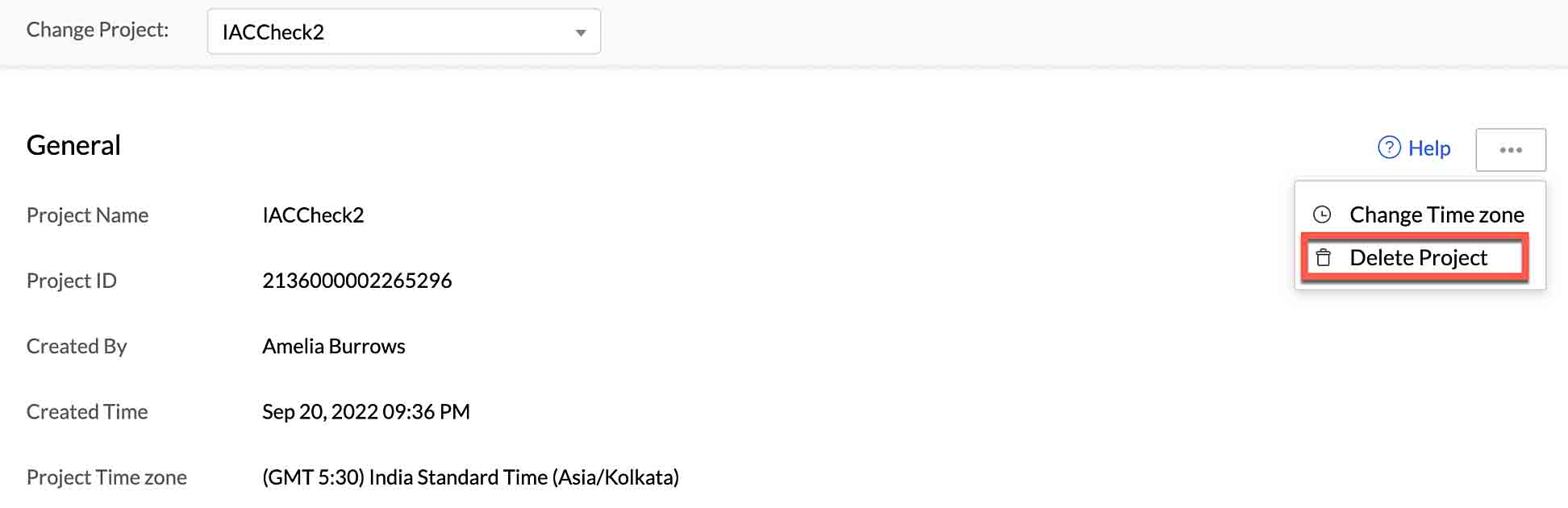
You can delete your project permanently from the General project settings page by clicking the ellipsis icon, then clicking Delete Project.
-
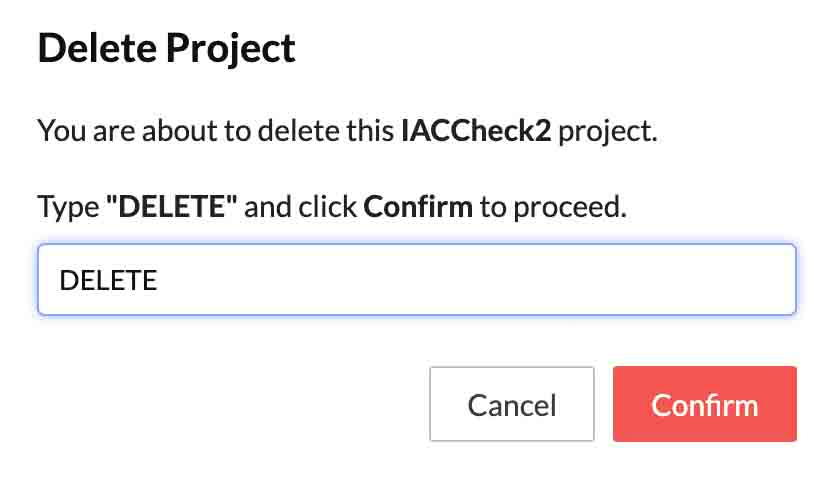
Type “DELETE” in the pop-up window for confirmation, then click Confirm.
Your project and its resources will be permanently deleted from the console. You will not be able to initialize this project from the CLI once it has been deleted.
Updated
Yes
No
Send your feedback to us
Skip
Submit
Ask AI about this answer
 Ask ChatGPT
 Ask Claude
 Ask Perplexity