Event Functionのコーディング
次に、フォームへのリンクを含む自動オンボーディングメールをユーザーに送信するEvent Function event_appを設定しましょう。このフォームにより、ユーザーはクライアントアプリケーションに登録するための個人情報を入力できます。この関数は、イベントリスナーがトリガーした際に実行されます。
関数ディレクトリ functions/event_appには以下が含まれています。
- index.js メイン関数ファイル
- catalyst-config.json 設定ファイル
- Nodeモジュール
- package.jsonおよびpackage-lock.json 依存関係ファイル
index.jsファイルにコードを追加します。
Node.jsのコードをコピーして、プロジェクトのfunctions/event_appディレクトリにあるindex.jsに貼り付けて、ファイルを保存してください。アプリケーションのファイルの作業には任意のIDEを使用できます。
Note: このセクションのコードを確認し、内容を十分に理解してください。
index.js
copy
const catalyst = require("zcatalyst-sdk-node");
const fs = require("fs");
const path = require("path");
module.exports = (event, context) => {
  try {
    const app = catalyst.initialize(context);
    let eventData = event.getRawData();
    let userEmailId = eventData.email;
    let email = app.email();
    let config = {
      from_email: "emmy@zylker.com", // ここを設定済みのメールアドレスに置き換えてください
      to_email: userEmailId,
      subject: "We welcome you on board!",
      content: fs.readFileSync(path.join(__dirname, "invite.html")).toString(),
      html_mode: true,
    };
    let mailPromise = email.sendMail(config);
    mailPromise.then((mailObject) => {
      console.log(mailObject);
      context.closeWithSuccess();
    });
  } catch (err) {
    console.error(err);
    context.closeWithFailure();
  }
};
Note: 11行目のfrom_emailの値を、先ほどCatalyst Mailで設定したメールアドレスに置き換えてください。
プロジェクトのデプロイ
Ruleの設定時にEvent FunctionとアプリケーションURLが利用可能になるよう、プロジェクトをCatalystコンソールにデプロイする必要があります。
Note: アプリケーションのクライアント設定が完了し、テストが終わった後に、プロジェクト全体をCatalystコンソールにもう一度デプロイします。
プロジェクトをコンソールにデプロイするには、CLIで以下のコマンドを入力して実行します。
copy
$
catalyst deploy
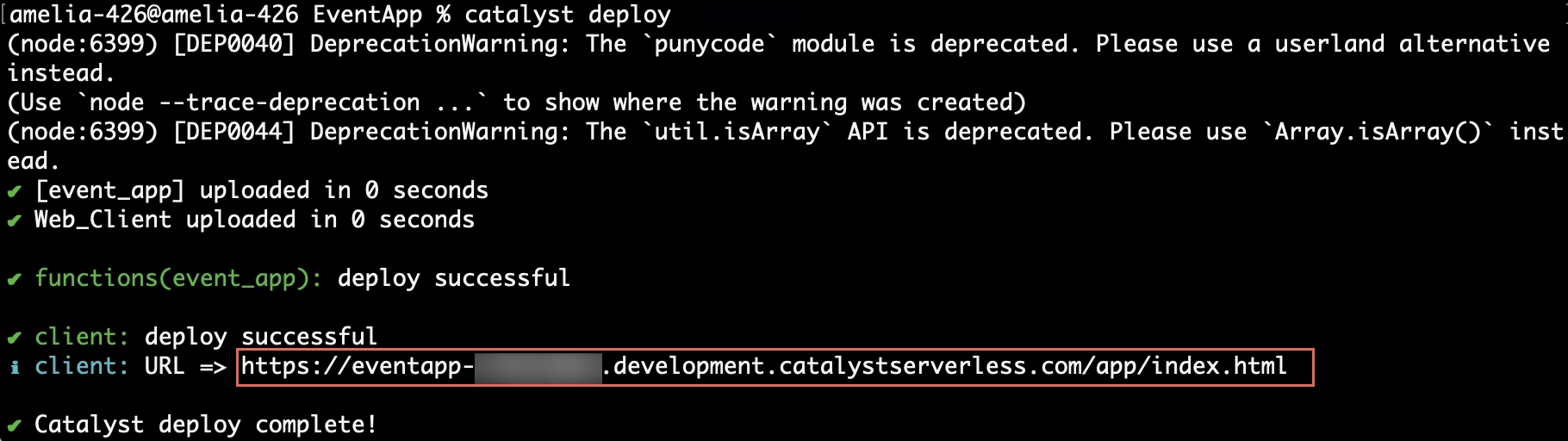
プロジェクトがコンソールにデプロイされました。
アプリケーションURLは、CLIからコピーするか、Web Client Hostingコンポーネントからコピーできます。
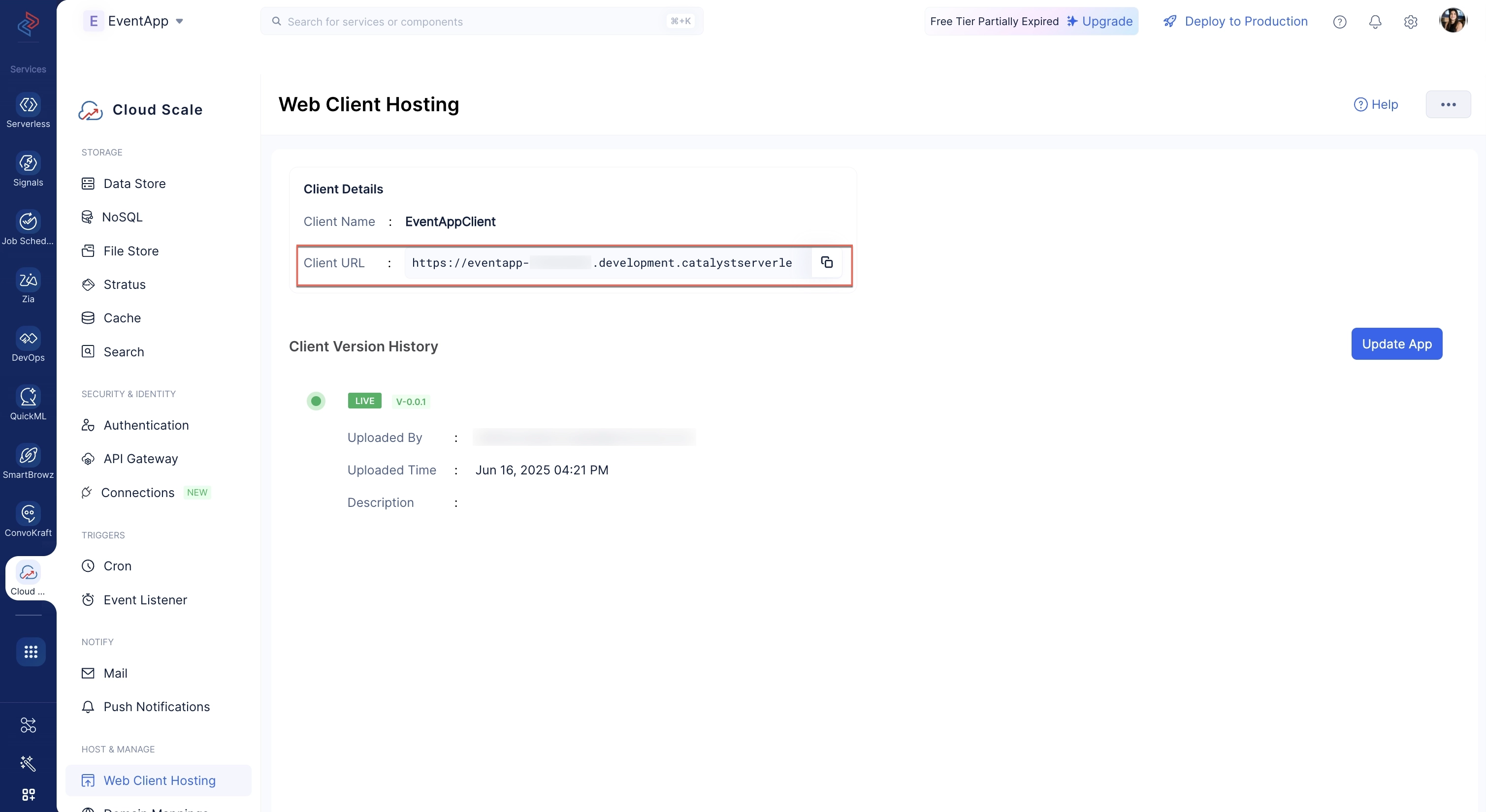
Note: コンソールおよび本番環境へのアプリケーションのデプロイについては、チュートリアルの**ステップ6**で詳しく説明します。Catalystリソースのコンソールへのデプロイについては、こちらのヘルプドキュメントでも詳しく学べます。
プロダクトツアーの設定
次に、functions/event_appディレクトリにHTMLファイルを作成し、invite.htmlという名前を付けます。
invite.htmlページにはプロダクトツアーの内容が含まれます。
以下のコードをコピーしてinvite.htmlファイルに貼り付けてください。
invite.html
copy
<div class="mT" style="background-color: #f2f2f2;padding: 4%;">
    <div style="width: 100%;max-width: 750px; margin: 0px auto;padding-bottom:10px;">
        <img src="" alt="">
    </div>
    <div
        style="width: 100%;max-width: 750px;font-size: 16px; margin: 0 auto;background: #fff; font-family: lucida grande,lucida sans,lucida sans unicode,arial,helvetica,verdana,sans-serif;">
        <table style="display: table;width: 100%;" cellspacing="0" cellpadding="0">
            <tr>
                <td style="background-color: #e80f28;height: 2px;width:25%;"> </td>
                <td style="background-color: #e80f28;height: 2px;width:25%;"> </td>
                <td style="background-color: #e80f28;height: 2px;width:25%;"> </td>
                <td style="background-color: #e80f28;height: 2px;width:25%;"> </td>
            </tr>
        </table>
        <div style="padding: 8% 5%;border: 1px solid #f3f3f3;line-height: 1.625em;">
            <div style="font-size: 0.8125em;color: #3c3c3c;">Hey there!</div>
            <br />
            <div style="font-size: 0.8125em;color:#5d5d5d; line-height: 1.625em;padding-bottom: 20px;">
            </div>
            Welcome to Event App! We have a range of interesting and innovative features for you to explore. Please take the time to read through our product tour document.
            <div style="font-size: 0.8125em;color: #5d5d5d;line-height: 1.625em;padding-bottom: 20px;">
            <a href="https://eventapp-779513891.development.catalystserverless.com/app/tour.html">Take the tour!</a> <!-- ここを置き換えてください -->
            </div>
            <div style="font-size: 0.8125em;color: #5d5d5d;line-height: 1.625em;padding-bottom: 20px;">
                If the link doesn't work, please copy the following address and paste it in your browser.
            </div>
            <div style="font-size: 0.8125em; line-height: 1.625em; width: 100%; padding:10px 0px; background-color: rgb(241,241,241);border: rgb(253,253,253) solid 1.0px;margin: 0.0px auto;">
                <div style="margin: 0.0px 10.0px;color: rgb(0,0,255);">
                 <a href="https://eventapp-779513891.development.catalystserverless.com/app/tour.html"> https://eventapp-779513891.development.catalystserverless.com/app/tour.html</a> <!-- ここを置き換えてください -->
                </div>
            </div>
            <br />
            <div style="font-size: 0.8125em;color: #5d5d5d;line-height: 1.625em;">
                <div>Regards,</div>
                <div>EventApp Team</div>
            </div>
        </div>
    </div>
</div>
Note: コード内の22行目および29行目にある「https://eventapp-779513891.development.catalystserverless.com」を、プロジェクト用に生成したProject Domain Nameに置き換えてください。
Event Functionの設定が完了しました。
最終更新日 2026-08-17 17:46:04 +0530 IST