Task Manager App
Introduction
This tutorial will help you build a React web application called Task Manager. The application will allow you to perform the following functionalities:
- Create a task
- Assign statuses to each task you create
- Filter tasks
- Update the created tasks
- Delete tasks when they are no longer required
The client side of the application will look like this:
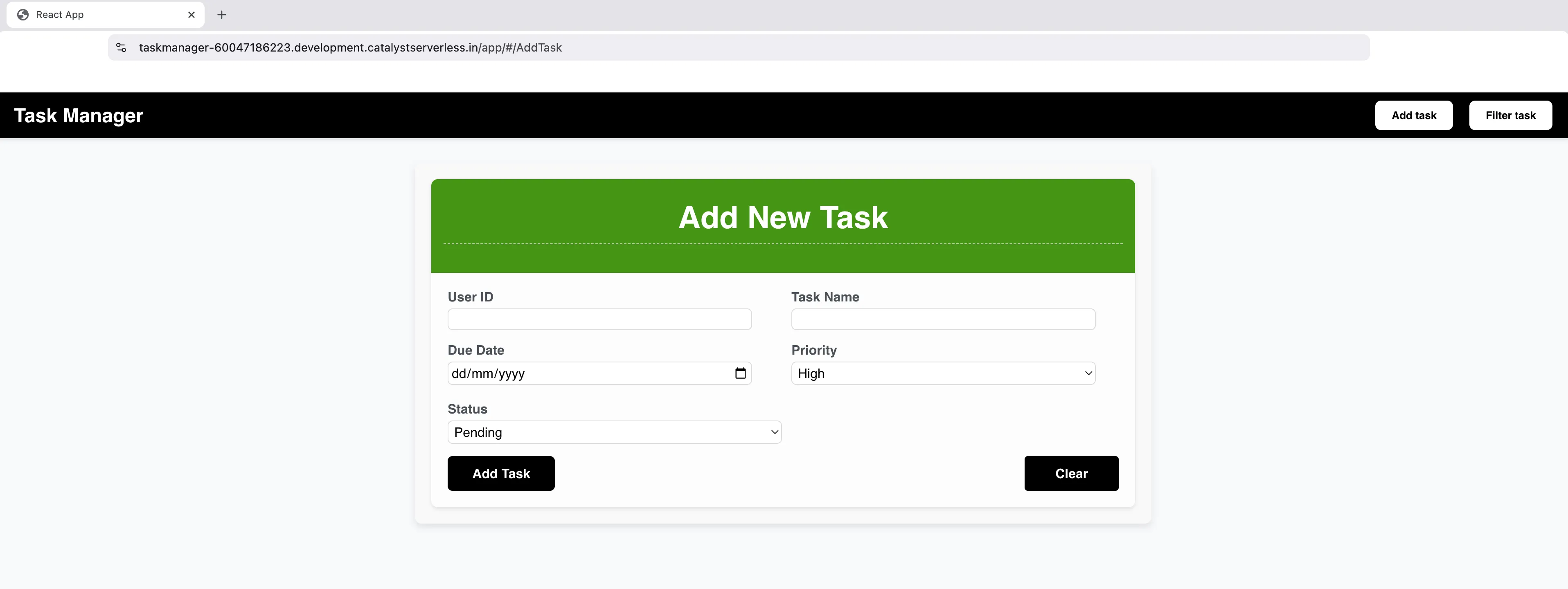
The logic of this application is coded employing the following Catalyst services and its respective components:
-
- Advanced IO Function: To code the backend logic of the application in the Node.js environment.
-
- NoSQL: To store unstructured or semi-structured data where the data is passed as JSON or JSON arrays.
- Web Client Hosting: To host the front-end of the application as a React web app.
You will use the Catalyst web console and the Catalyst Command Line Interface (CLI) to build the application.
Featured Concepts
Before we dive into the application, it is important you comprehend the following NoSQL table keys:
-
Partition Key: This key is a mandatory attribute as it defines how and where the data should be stored in the distributed NoSQL table.
-
Sort Key: This key is typically an optional attribute and that will help you in referring the required data that shares the same Partition Key.
For example, if you have a NoSQL table that contains data on fruits, then the fruit itself will be the Partition Key, while its specific variety will be the Sort Key.
| Fruit (Partition Key) | Variety (Sort Key) | Color (Index) |
|---|---|---|
| Apple | Royal Gala | Red |
| Apple | Fuji | Red |
| Banana | Cavendish | Yellow |
| Banana | Red Dacca | Red |
Application Workflow
The workflow of the application is described below:
-
You will create a task by populating the input fields present in the client. The UserID will act as the Partition Key, and the Task Name will act as the Sort Key.
-
Once the task is created, the unstructured data will be stored in the NoSQL storage component.
-
You can filter the created tasks and the required tasks will be referred using its UserID (Partition Key) and Task Name (Sort Key).
-
You can also perform Edit and Delete operations on the created tasks. The data changes will be reflected in the NoSQL component.
-
Finally, the React application is hosted on Catalyst using the Web Client Hosting component.
Last Updated 2025-11-26 15:38:32 +0530 IST