Create an Clustering Pipeline
Now that the dataset is uploaded, we’ll create a clustering pipeline using the uploaded dataset.
-
Navigate to the Pipeline module in the left menu and click on the Create Pipeline button.
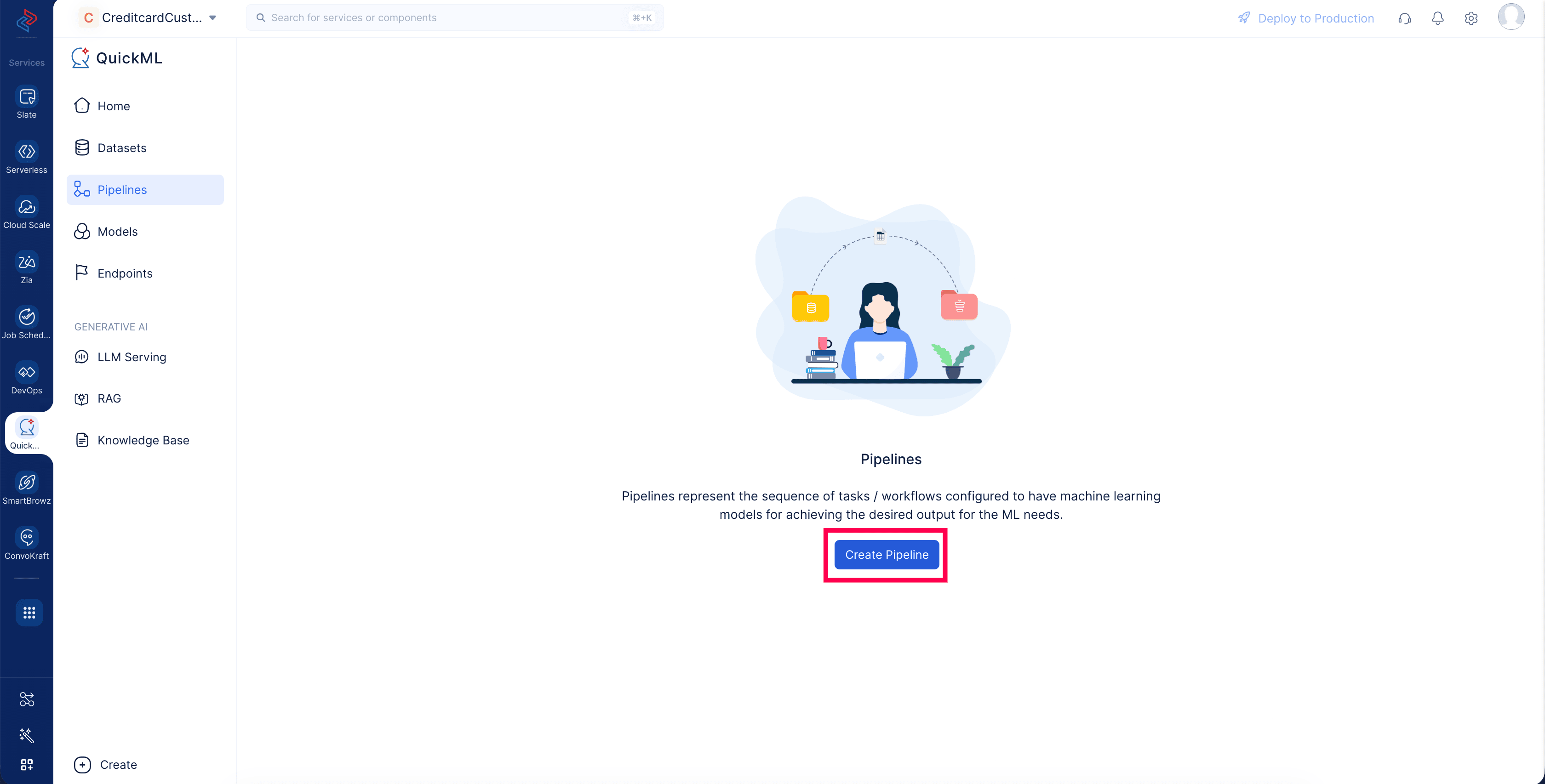
-
In the Create Pipeline window, select the Clustering pipeline model.
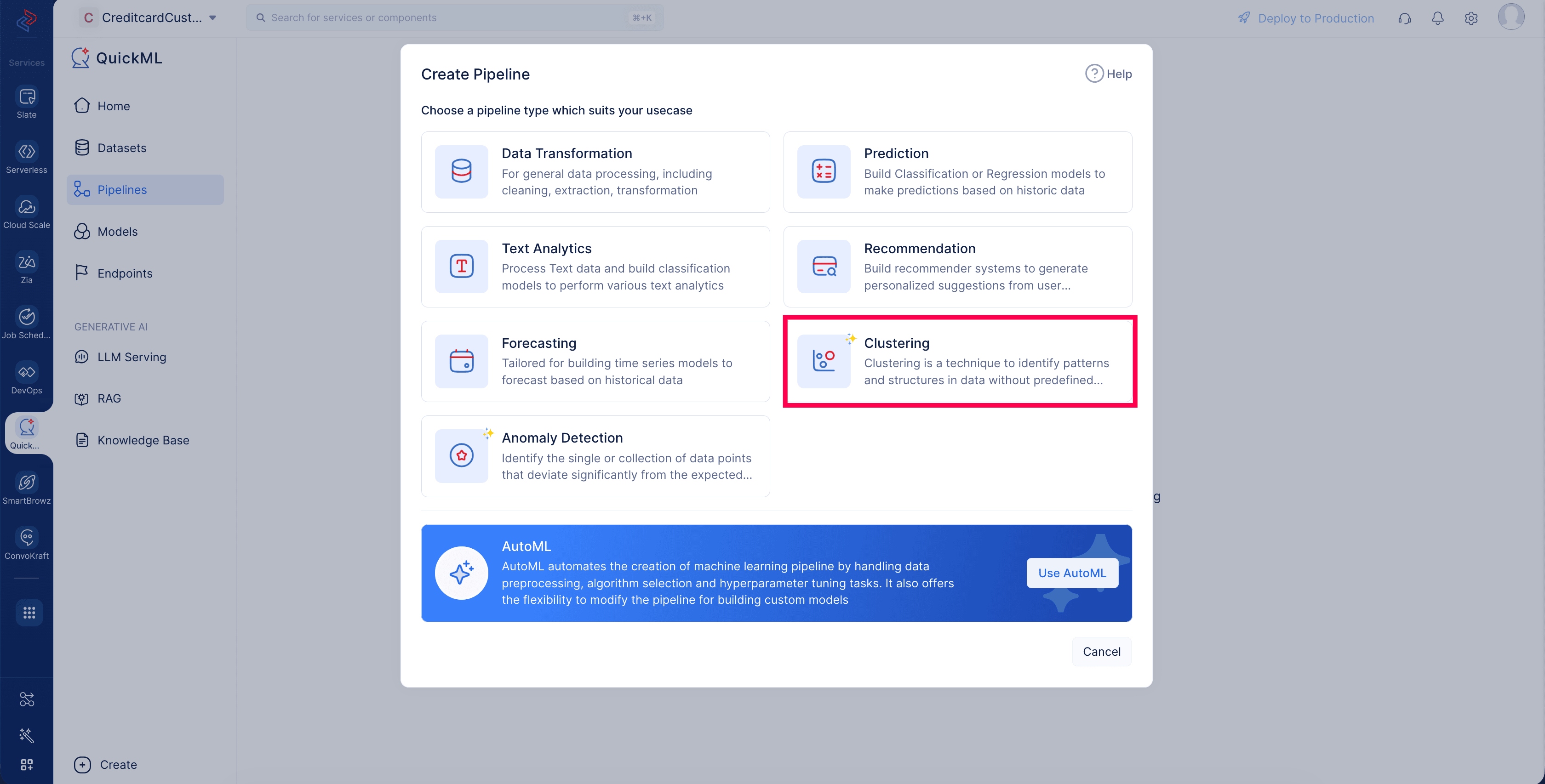
-
Name the pipeline Credit Card customer clustering ,and choose the Credit card customers dataset from the dataset drop-down. Click Create to create the pipeline.
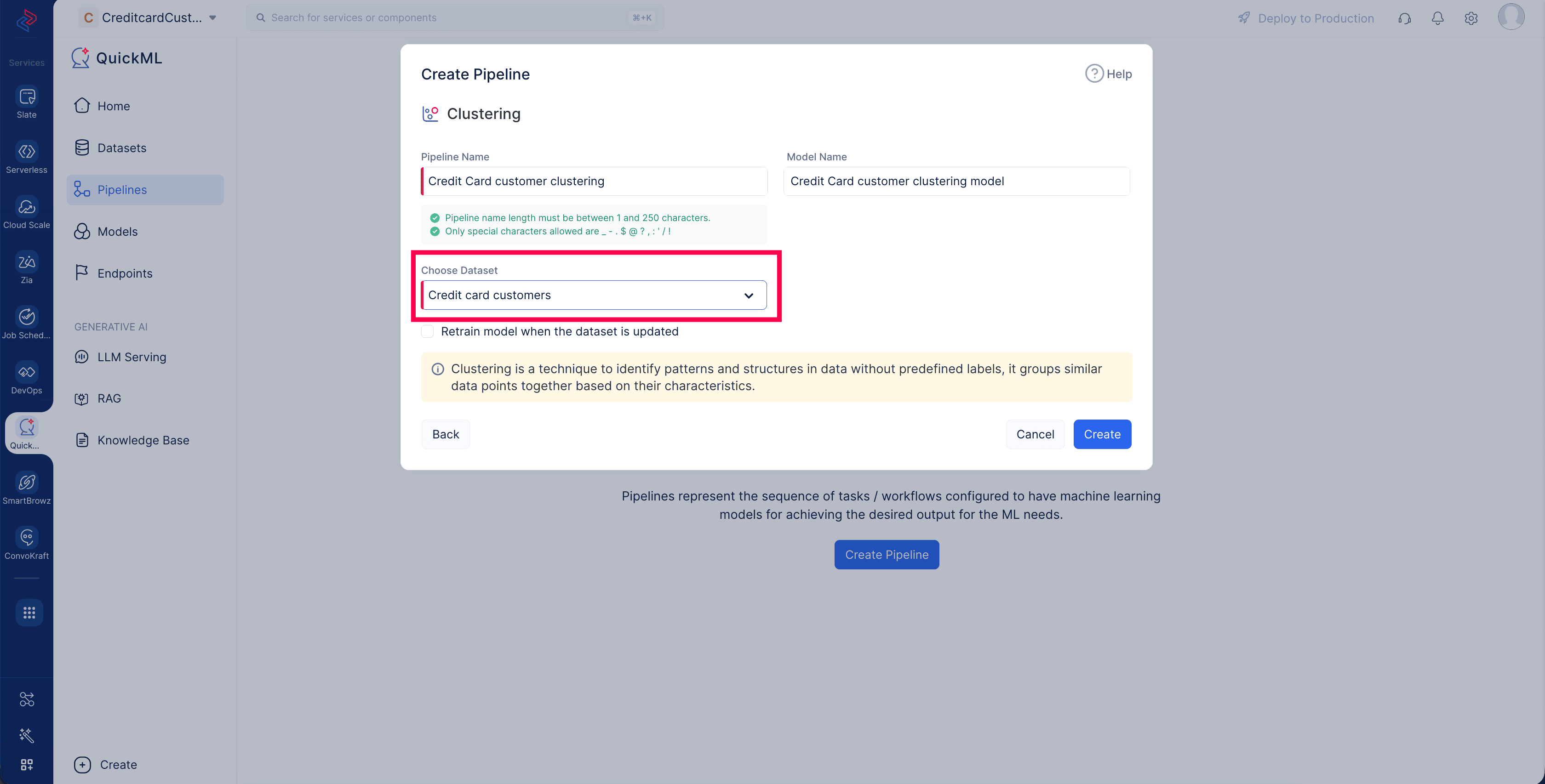
You’ll land on the custom model pipeline builder interface.
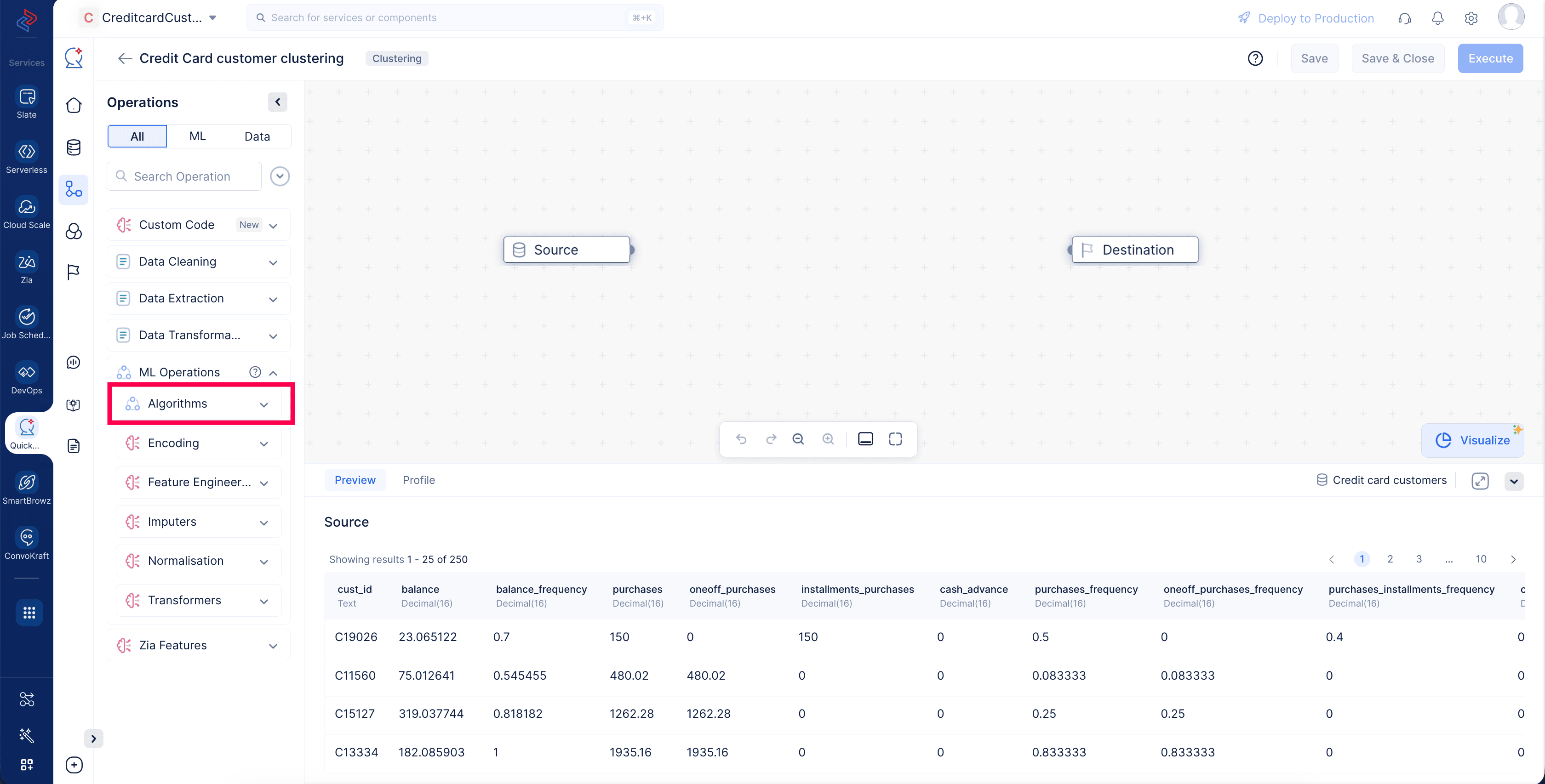
Let’s drag-drop the required stages and connect the pipeline.
Last Updated 2026-08-20 12:42:54 +0530 IST