Create an endpoint
Now let’s create an endpoint for the Movie review sentiment analysis model to allow external applications to interact with the model to get responses.
-
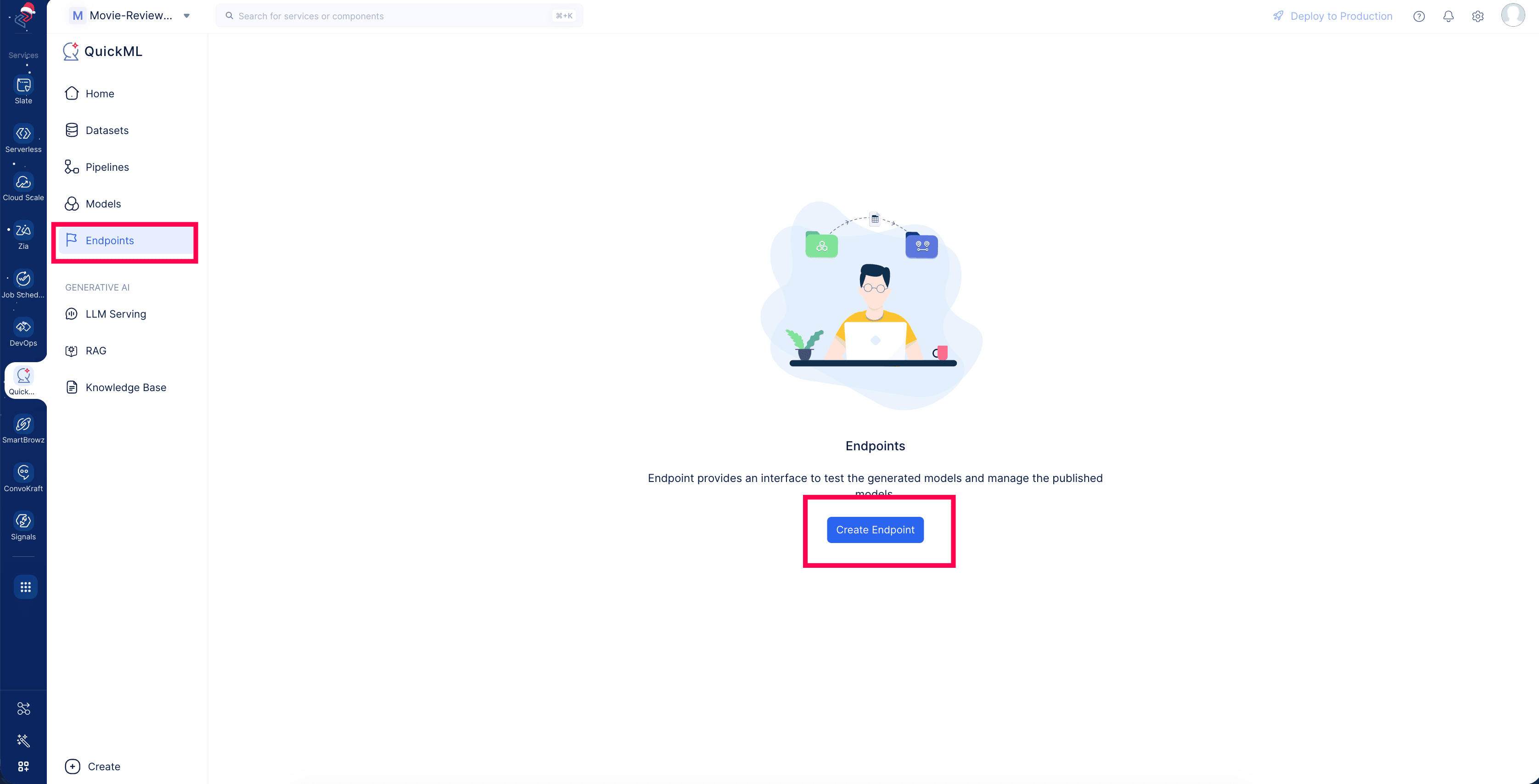
Navigate to the Endpoints component in the left menu and click Create Endpoint.
-
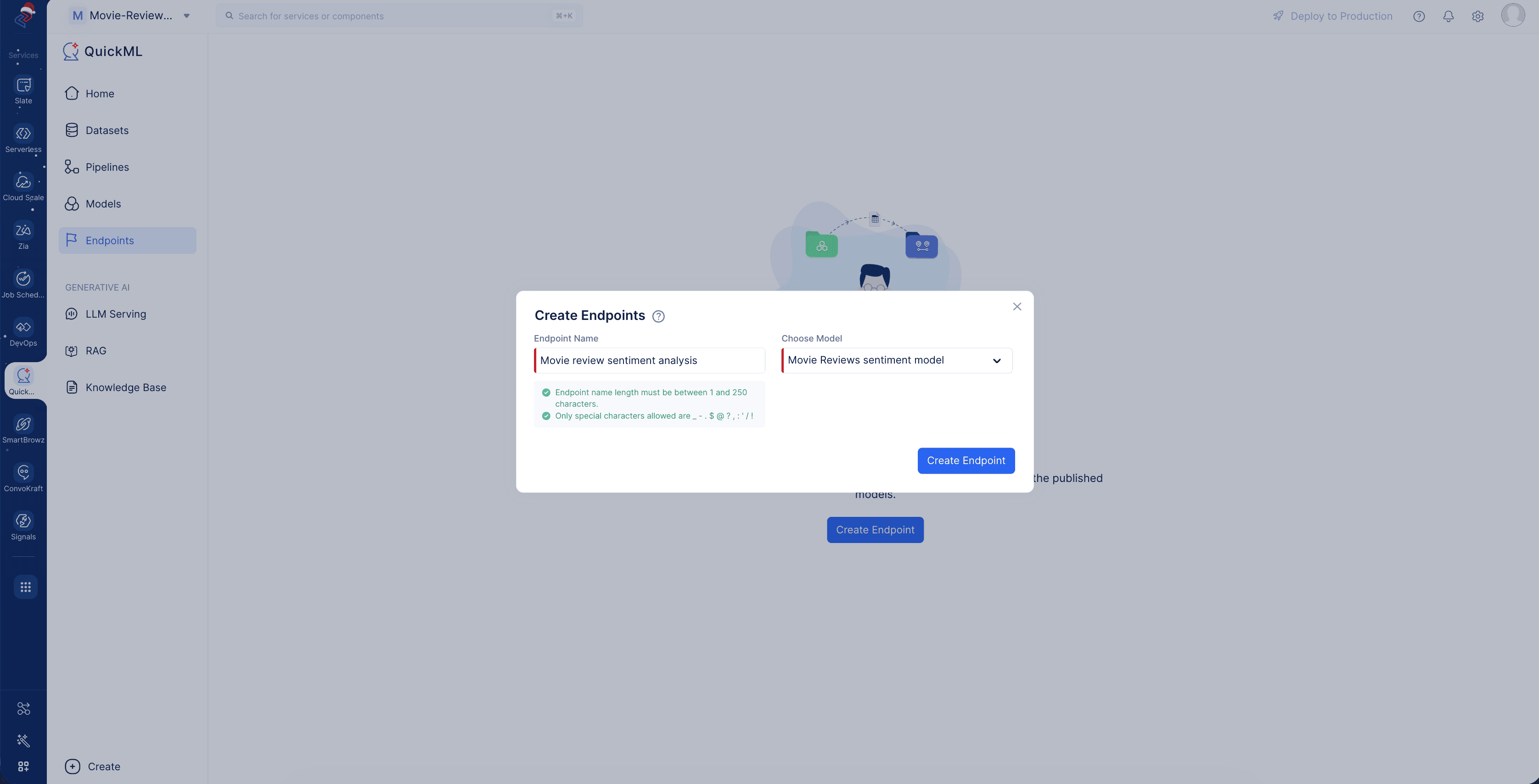
Provide a name for the endpoint in the EndpointName field (we’ll name it Movie review sentiment analysis) and select the model pipeline name from the dropdown values in the Choose Model field.Then click Create Endpoint.
-
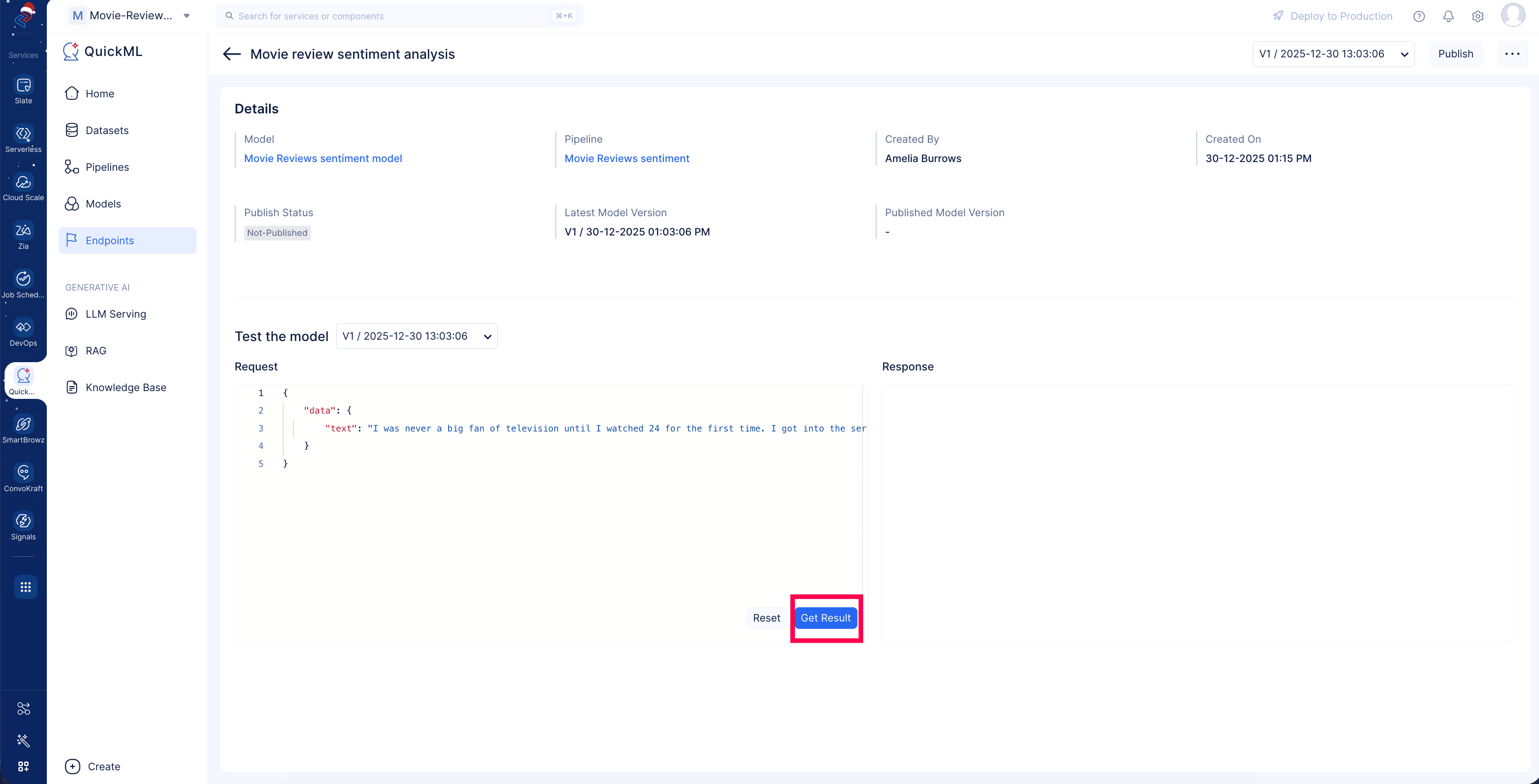
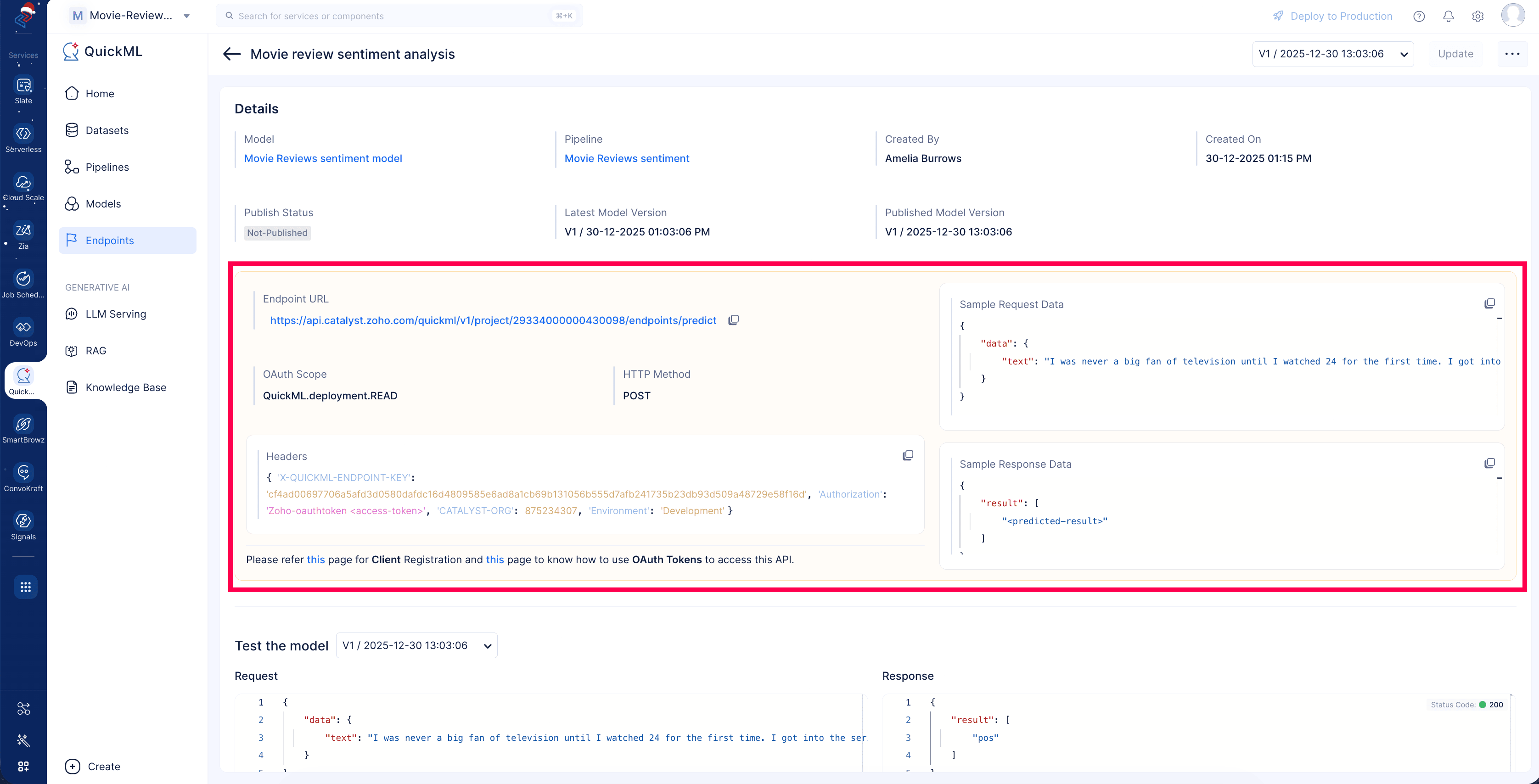
Once the endpoint is created, you can view the endpoint’s details page. Details about the endpoint are available in the Details section. You can test the model by providing a sample request in the Request column and clicking Get result. This will generate the predicted value in the Response box.
-
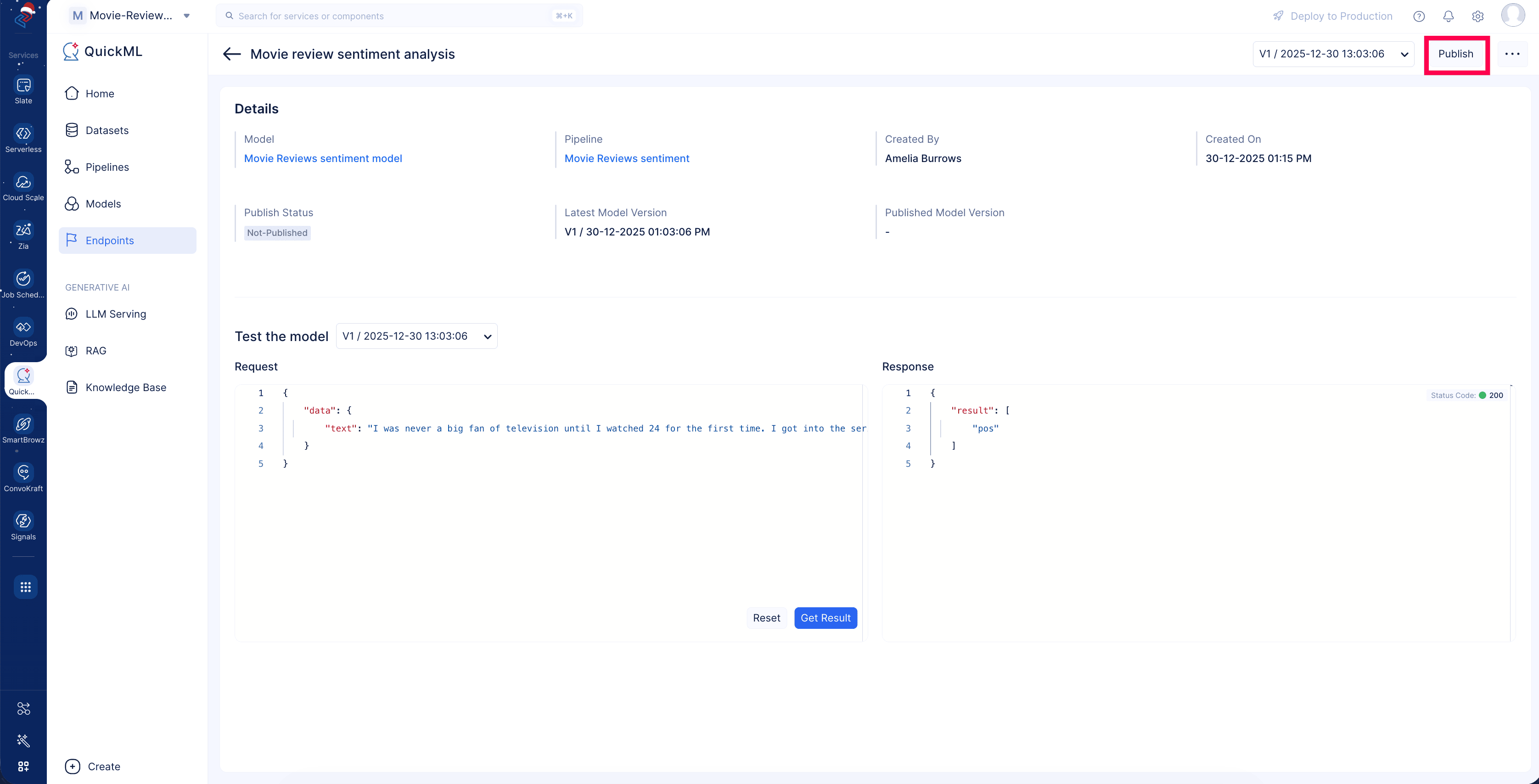
Click Publish and use the endpoint URL to integrate the created ML model with any other applications.
-
Upon publishing the endpoint, it will generate API details that include the endpoint API URL, scope, headers, and more information that’s used to access the model from external applications.
Last Updated 2026-08-20 12:42:54 +0530 IST