Create an endpoint
We will now create an endpoint for our Movie Recommendation model to allow external applications to interact with the model seamlessly and get recommendations.
-
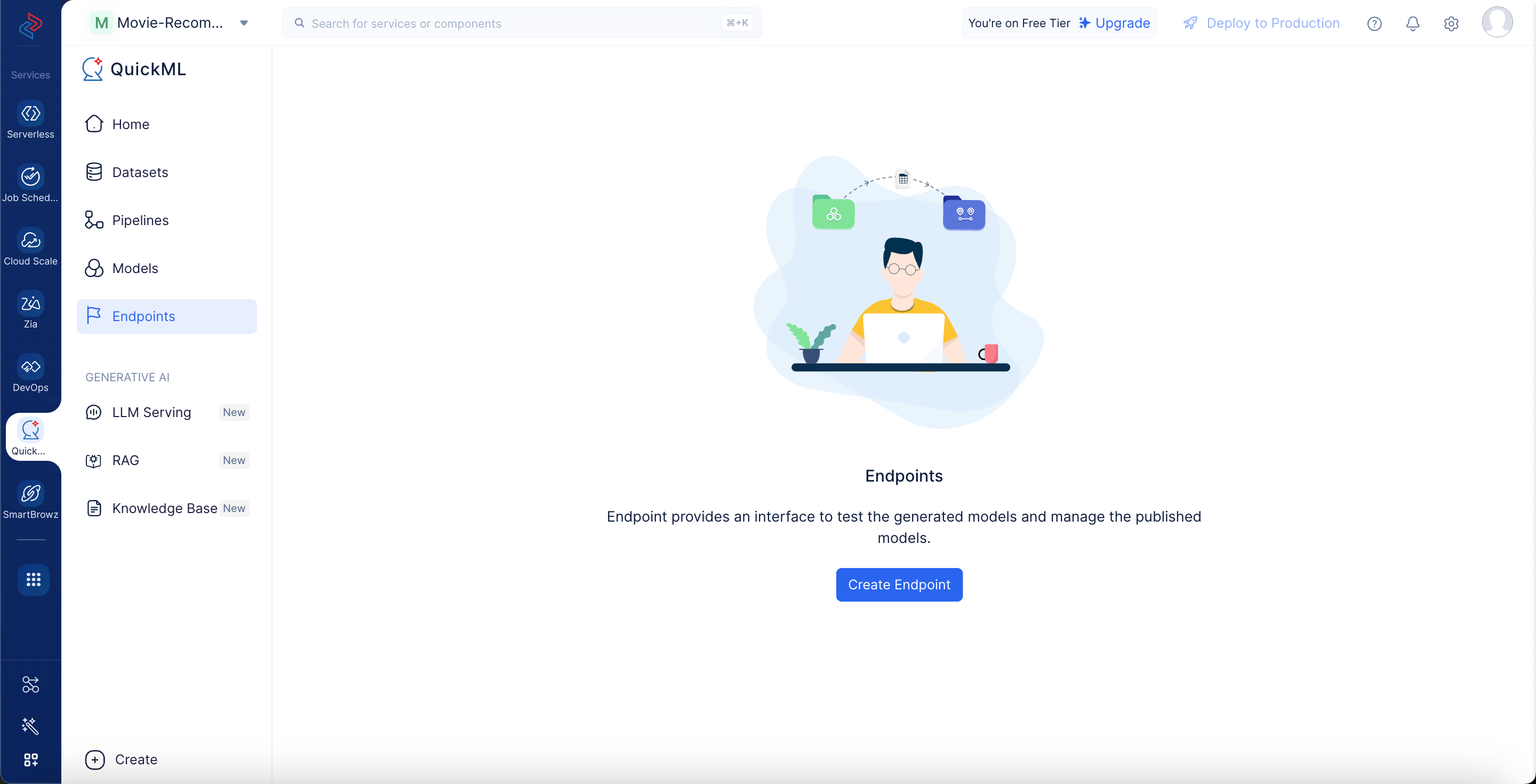
Navigate to the Endpoints component in the left menu and click Create Endpoint.
-
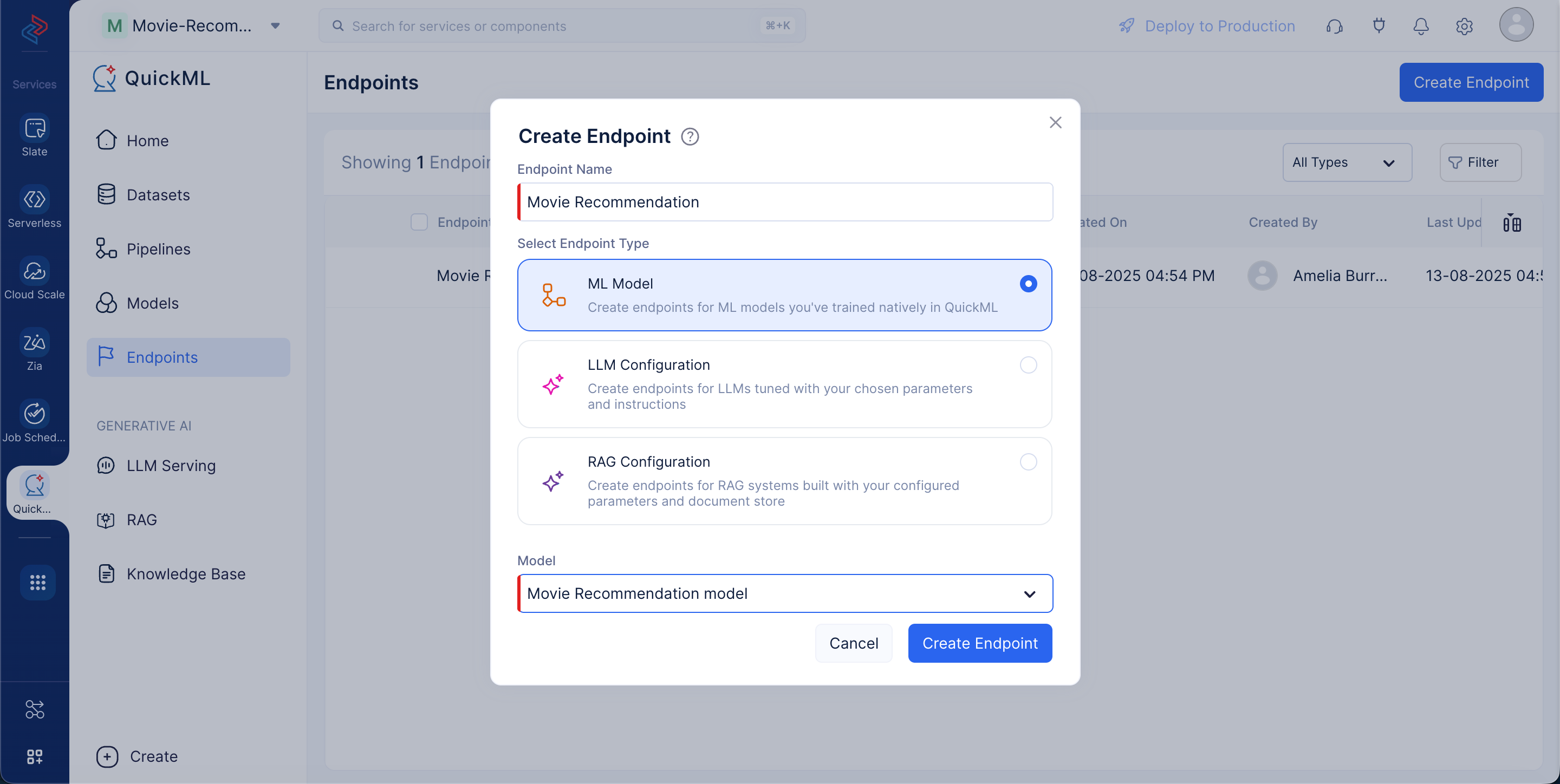
Name the endpoint Movie Recommendation, select the endpoint type as ML Model, choose the model as Movie Recommendation model, and click Create Endpoint.
-
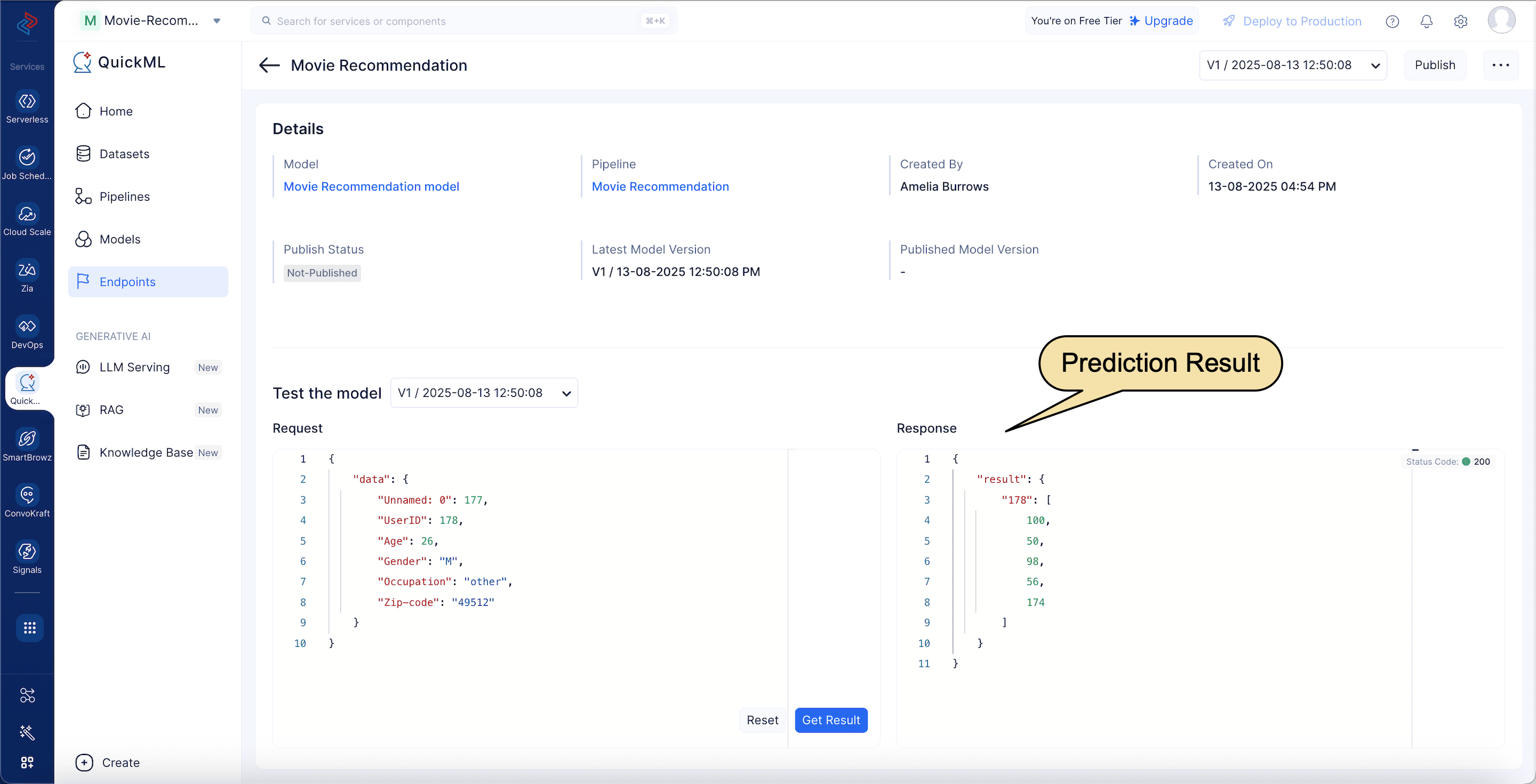
On the endpoint’s details page, you can test the model by providing a sample request and clicking Get Result. For the request, you can provide the model with a user’s demographic and identifying details, and it will respond with the movie IDs it predicts that the user is most likely to enjoy, sorted in recommendation order.
-
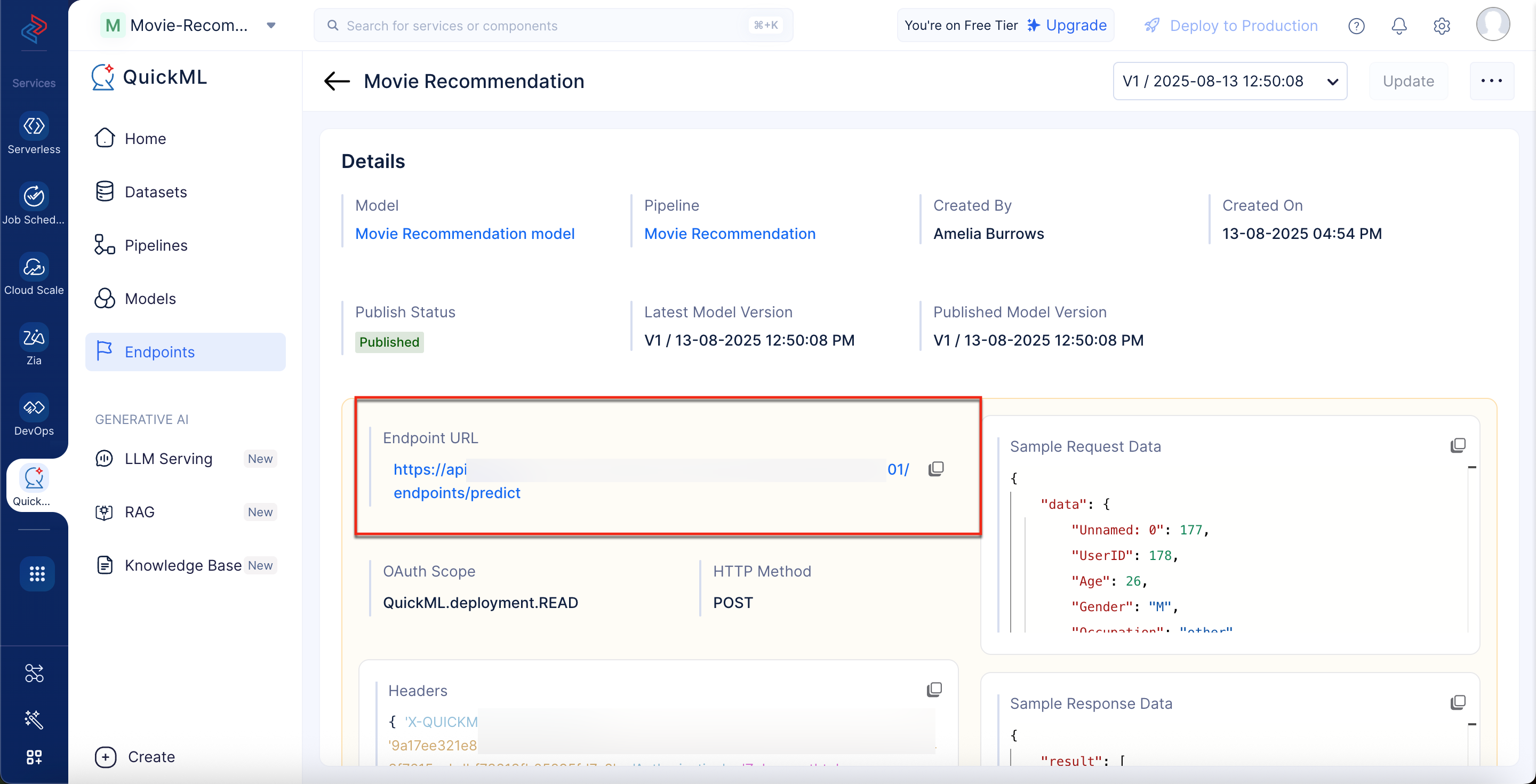
Click Publish on the top right corner of the page and use the endpoint URL to integrate the ML model with any other applications.
Last Updated 2026-09-29 11:31:01 +0530 IST