Advanced I/O Functionのコーディング
Advanced I/O functionの設定を始めましょう。このファンクションはクライアントとの通信に使用され、Dynamic Cronを設定します。Cronのメタデータは、Cron作成SDKを使用してクライアントで入力されたデータから取得されます。
ファンクションディレクトリ内のAdvanced I/O function BirthdayGreetings/functions/advance_function/には以下が含まれます:
- index.jsメインファンクションファイル
- catalyst-config.json設定ファイル
- Nodeモジュール
- package.jsonおよびpackage-lock.json依存関係ファイル。
index.jsファイルにコードを追加します。
このファンクションをコーディングするには、Express Node.jsフレームワークを使用します。コード内でExpressパッケージをインポートするには、システムにExpressの依存関係をインストールする必要があります。
ローカルマシンにExpress.jsをインストールするには、ターミナルでBirthdayGreetings/functions/advance_function/に移動し、以下のコマンドを実行します:
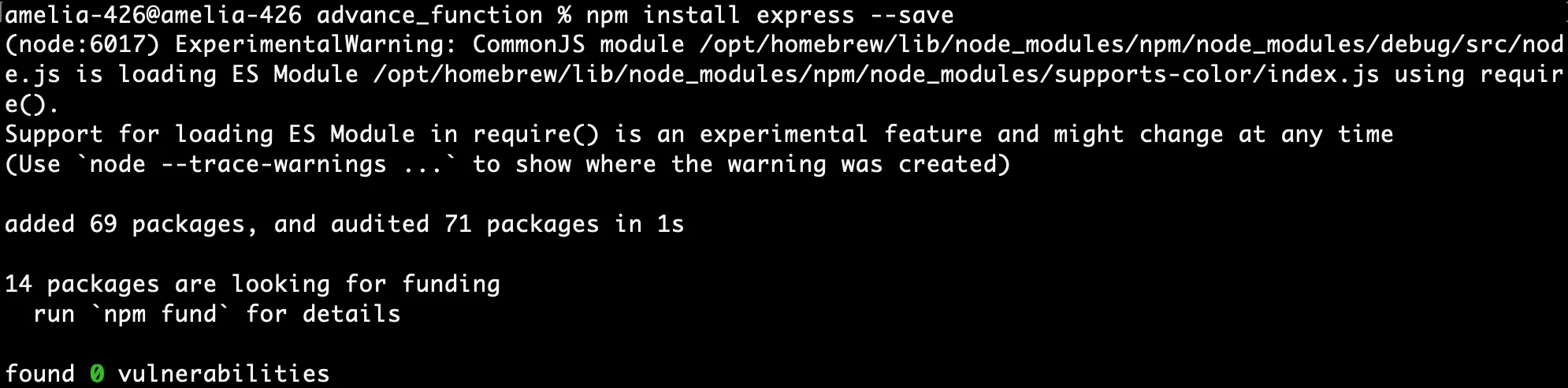
以下のコードをコピーしてindex.jsファイルに貼り付けてください。
'use strict';
const catalyst = require('zcatalyst-sdk-node');
const express = require('express');
const app = express();
app.use(express.json());
app.post('/insertReminder', async (req, res) => {
    console.log("Request body:", req.body);
    try {
        const catalystApp = catalyst.initialize(req);
        let userManagement = catalystApp.userManagement();
        let userPromise = userManagement.getCurrentUser();
        userPromise.then(async (currentUser) => {
            console.log(currentUser);
            const datastores = catalystApp.datastore();
            const table = datastores.table('12096000001771061'); // テーブルID
            await insertReminder(req.body, table, catalystApp);
            res.status(200).json({
                status: 200,
                message: "Reminder added successfully"
            });
        });
    } catch (error) {
        console.error('Error adding reminder:', error);
        res.status(500).json({
            Error: error.message
        });
    }
});
app.get('/getReminder', async (req, res) => {
    try {
        const catalystApp = catalyst.initialize(req);
        const datastores = catalystApp.datastore();
        const table = datastores.table('12096000001771061'); // テーブルID
        const reminders = await getReminders(catalystApp, table);
        res.status(200).json(reminders);
    } catch (error) {
        console.error('Error retrieving reminders:', error);
        res.status(500).json({
            Error: error.message
        });
    }
});
app.put('/updateReminder', async (req, res) => {
    try {
        const catalystApp = catalyst.initialize(req);
        const datastores = catalystApp.datastore();
        const table = datastores.table('12096000001771061'); // テーブルID
        await updateReminder(req.body, table, catalystApp);
        res.status(200).json({
            status: 200,
            message: "Reminder updated successfully"
        });
    } catch (error) {
        console.error('Error updating reminder:', error);
        res.status(500).json({
            Error: error.message
        });
    }
});
app.patch('/toggleAutoSend', async (req, res) => {
    try {
        const catalystApp = catalyst.initialize(req);
        const datastores = catalystApp.datastore();
        const table = datastores.table('12096000001771061'); // テーブルID
        await toggleAutoSend(req.body, table, catalystApp);
        res.status(200).json({
            status: 200,
            message: "Auto send toggled status successfully"
        });
    } catch (error) {
        console.error('Error toggling status:', error);
        res.status(500).json({
            Error: error.message
        });
    }
});
app.delete('/deleteReminder/:id', async (req, res) => {
    try {
        const {
            id
        } = req.params;
        console.log("ID received:", id);
        const catalystApp = catalyst.initialize(req);
        const datastores = catalystApp.datastore();
        const table = datastores.table('12096000001771061'); // テーブルID
        await deleteReminder(id, table, catalystApp);
        res.status(200).json({
            status: 200,
            message: "Reminder deleted successfully"
        });
    } catch (error) {
        console.error('Error deleting reminder:', error);
        res.status(500).json({
            Error: error.message
        });
    }
});
module.exports = app;
async function toggleAutoSend(requestBody, table, catalystApp) {
    const {
        id,
        status
    } = requestBody;
    const enableStatus = status === 'enable';
    const zcql = catalystApp.zcql();
    const query = `SELECT * FROM BirthDayReminder WHERE ROWID = '${id}'`;
    const response = await zcql.executeZCQLQuery(query);
    if (!response || response.length === 0) throw new Error('Reminder not found.');
    const row = response[0].BirthDayReminder;
    row.AutoSend = enableStatus;
    console.log("Row.autosend  ", row.AutoSend);
    const jobScheduling = catalystApp.jobScheduling();
    if (!enableStatus) {
        console.log("false");
        await jobScheduling.CRON.deleteCron(`bday_${id.substring(10, 17)}`);
    } else {
        console.log("true");
        await scheduleCronJob(row, catalystApp);
    }
    const updateQuery = `UPDATE BirthDayReminder SET AutoSend = ${enableStatus} WHERE ROWID = '${id}'`;
    await zcql.executeZCQLQuery(updateQuery);
}
async function insertReminder(requestBody, table, catalystApp) {
    const {
        name,
        birthday,
        message,
        email
    } = requestBody;
    if (!name || !birthday || !message || !email) throw new Error('Missing required fields.');
    const row = {
        Name: name,
        BirthDay: birthday,
        Message: message,
        Email: email
    };
    try {
        const insertedRow = await table.insertRow(row);
        await scheduleCronJob(insertedRow, catalystApp);
    } catch (error) {
        console.error('Error inserting reminder:', error);
        throw error;
    }
}
async function getReminders(catalystApp, table) {
    try {
        const zcql = catalystApp.zcql();
        const query = 'SELECT * FROM BirthDayReminder';
        const response = await zcql.executeZCQLQuery(query);
        if (!Array.isArray(response)) throw new Error('Invalid response from ZCQL query');
        return response.map(row => {
            const reminder = row.BirthDayReminder;
            return {
                ID: reminder.ROWID || 'N/A',
                Name: reminder.Name || 'N/A',
                BirthDay: reminder.BirthDay || 'N/A',
                Message: reminder.Message || 'N/A',
                Email: reminder.Email || 'N/A',
                AutoSend: reminder.AutoSend || false
            };
        });
    } catch (error) {
        console.error('Error retrieving reminders:', error.message);
        throw error;
    }
}
async function updateReminder(requestBody, table, catalystApp) {
    const {
        ID,
        Name,
        BirthDay,
        Message,
        Email
    } = requestBody;
    const jobScheduling = catalystApp.jobScheduling();
    if (!ID || !Name || !BirthDay || !Message || !Email) throw new Error('Missing required fields.');
    const zcql = catalystApp.zcql();
    const query = `SELECT AutoSend FROM BirthDayReminder WHERE ROWID = '${ID}'`;
    const response = await zcql.executeZCQLQuery(query);
    const AutoSend = response[0]?.BirthDayReminder?.AutoSend || false;
    const row = {
        ROWID: ID,
        Name: Name,
        BirthDay: BirthDay,
        Message: Message,
        Email: Email
    };
    if (AutoSend) {
        await jobScheduling.CRON.deleteCron(`bday_${ID.substring(10, 17)}`);
        try {
            await table.updateRow(row);
            await scheduleCronJob(row, catalystApp);
        } catch (error) {
            console.error('Error updating reminder:', error);
            throw error;
        }
    } else {
        try {
            await table.updateRow(row);
            console.log('Row updated:', row);
        } catch (error) {
            console.error('Error updating reminder:', error);
            throw error;
        }
    }
}
async function deleteReminder(id, table, catalystApp) {
    if (!id) throw new Error('ID is missing.');
    const zcql = catalystApp.zcql();
    const query = `SELECT AutoSend FROM BirthDayReminder WHERE ROWID = '${id}'`;
    const response = await zcql.executeZCQLQuery(query);
    const AutoSend = response[0]?.BirthDayReminder?.AutoSend || false;
    const jobScheduling = catalystApp.jobScheduling();
    if (AutoSend) {
        await jobScheduling.CRON.deleteCron(`bday_${id.substring(10, 17)}`);
    }
    await table.deleteRow(id);
    console.log('Reminder deleted:', id);
}
async function scheduleCronJob(row, catalystApp) {
    const jobScheduling = catalystApp.jobScheduling();
    const {
        ROWID,
        BirthDay,
        Name,
        Email,
        Message
    } = row;
    const dob = new Date(BirthDay);
    const cronDetail = {
        cron_name: `bday_${ROWID.substring(10, 17)}`,
        description: `Birthday reminder for ${Name}`,
        cron_status: true,
        cron_type: 'CALENDAR',
        cron_detail: {
            hour: 0,
            minute: 0,
            second: 0,
            days: [dob.getDate()],
            months: [dob.getMonth()],
            repetition_type: 'YEARLY'
        },
        job_meta: {
            job_name: `bday_${ROWID.substring(10, 17)}`,
            jobpool_name: 'Trigger_Message', // ジョブプール名
            jobpool_id: '12096000001771827', // ジョブプールID
            target_type: 'FUNCTION',
            target_name: 'dynamic_cron', // ジョブファンクション名
            job_service_identifier: 'default',
            retries: 2,
            retry_interval: 900,
            params: {
                id: ROWID,
                name: Name,
                email: Email,
                message: Message,
                birthday: BirthDay
            }
        }
    };
    try {
        const yearlyCronDetails = await jobScheduling.CRON.createCron(cronDetail);
        console.log('Yearly cron created:', yearlyCronDetails);
    } catch (error) {
        console.error('Error scheduling cron job:', error);
        throw error;
    }
}
-
15、33、47、64、および85行目にテーブルIDを入力してください。この値はData Storeで作成したテーブルから取得できます。
-
245、246、および248行目にジョブメタの詳細を入力してください。これらの値はJob SchedulingのJob Poolセクションから取得できます。
Advanced I/O functionのコーディングに使用したAPIを確認しましょう。これらのAPIは、サーバー、Data Store、およびJob Schedulingサービス間のルーティングを処理します:
-
POST /insertReminder:クライアントで入力された詳細を使用して、Data Storeに新しいリマインダーを追加します。また、タスクを自動化するためにCatalyst Job Schedulingサービスを使用してDynamic Cronジョブをスケジュールします。
-
GET /getReminder:Data Storeに保存されているすべてのリマインダーを取得し、レスポンスとして返します。
-
PUT /updateReminder:クライアントで入力された詳細を使用して、Data Store内の既存のリマインダーを更新します。
-
PATCH /toggleAutoSend:クライアント側でユーザーが設定した設定に基づいて、リマインダーの自動送信ステータスを切り替えます。
-
DELETE /deleteReminder/:id:提供されたreminder IDを使用して、Data StoreおよびCronから特定のリマインダーを削除します。
最終更新日 2026-08-17 17:46:04 +0530 IST