Enable Auth0 Authentication Service
Next, lets’s enable Auth0 authentication for your Catalyst application.
To enable Auth0:
-
Navigate to the Auth0, and signup for the service.
-
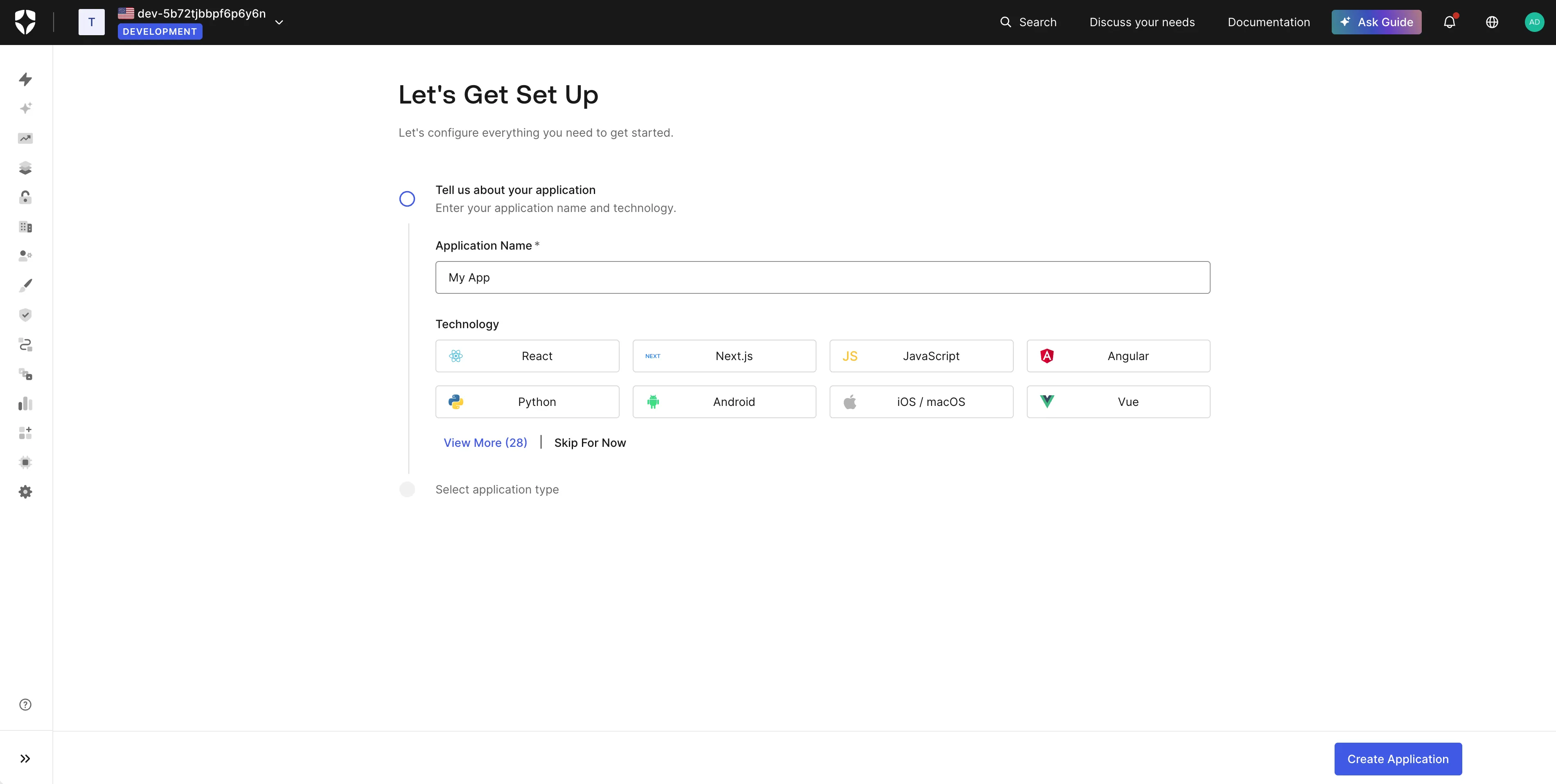
After you get directed to the dashboard, click Create Application.
-
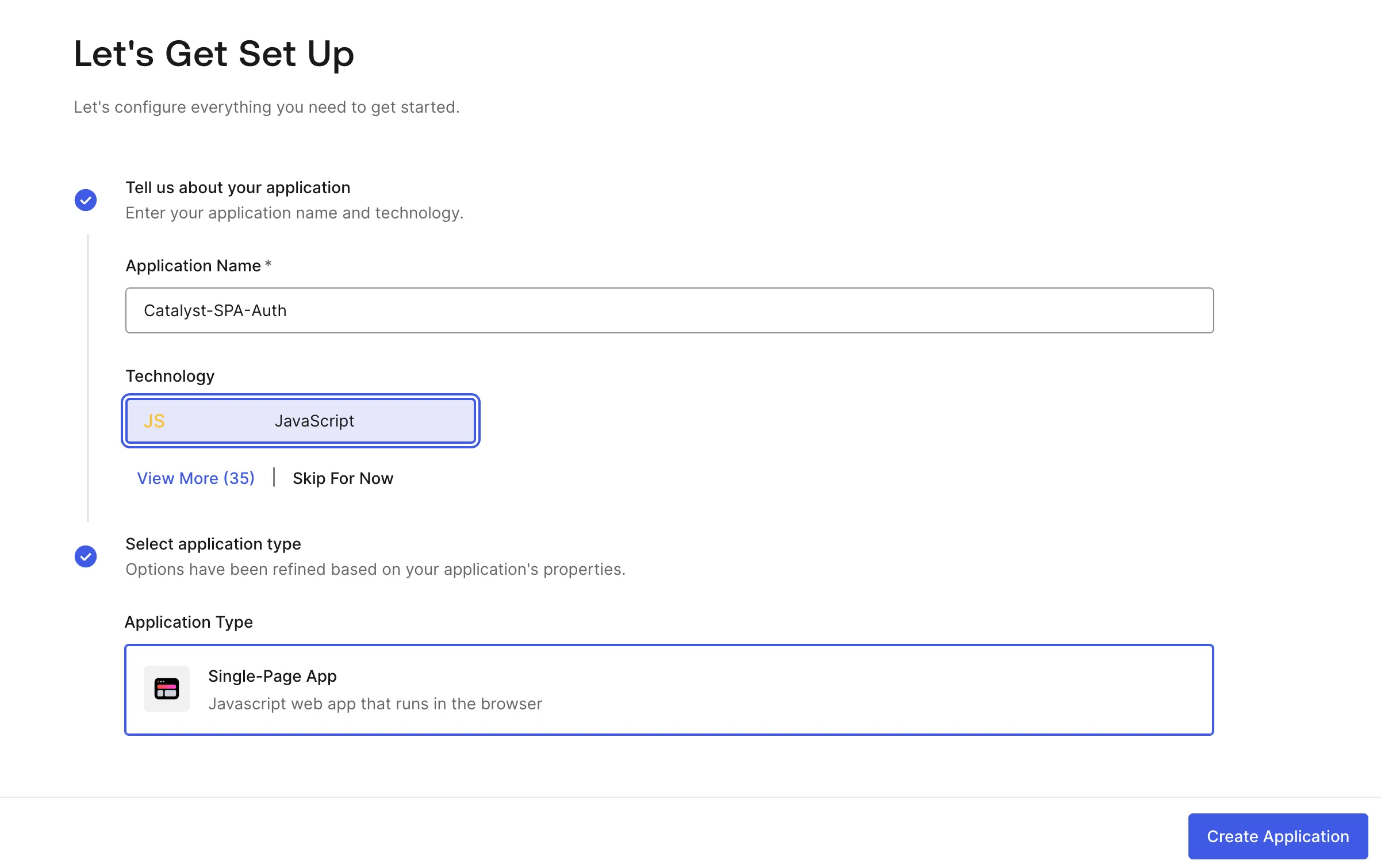
Provide a name for your application, select JavaScript as the Technology, and select Single-Page App as your Application Type. Click Create Application.
-
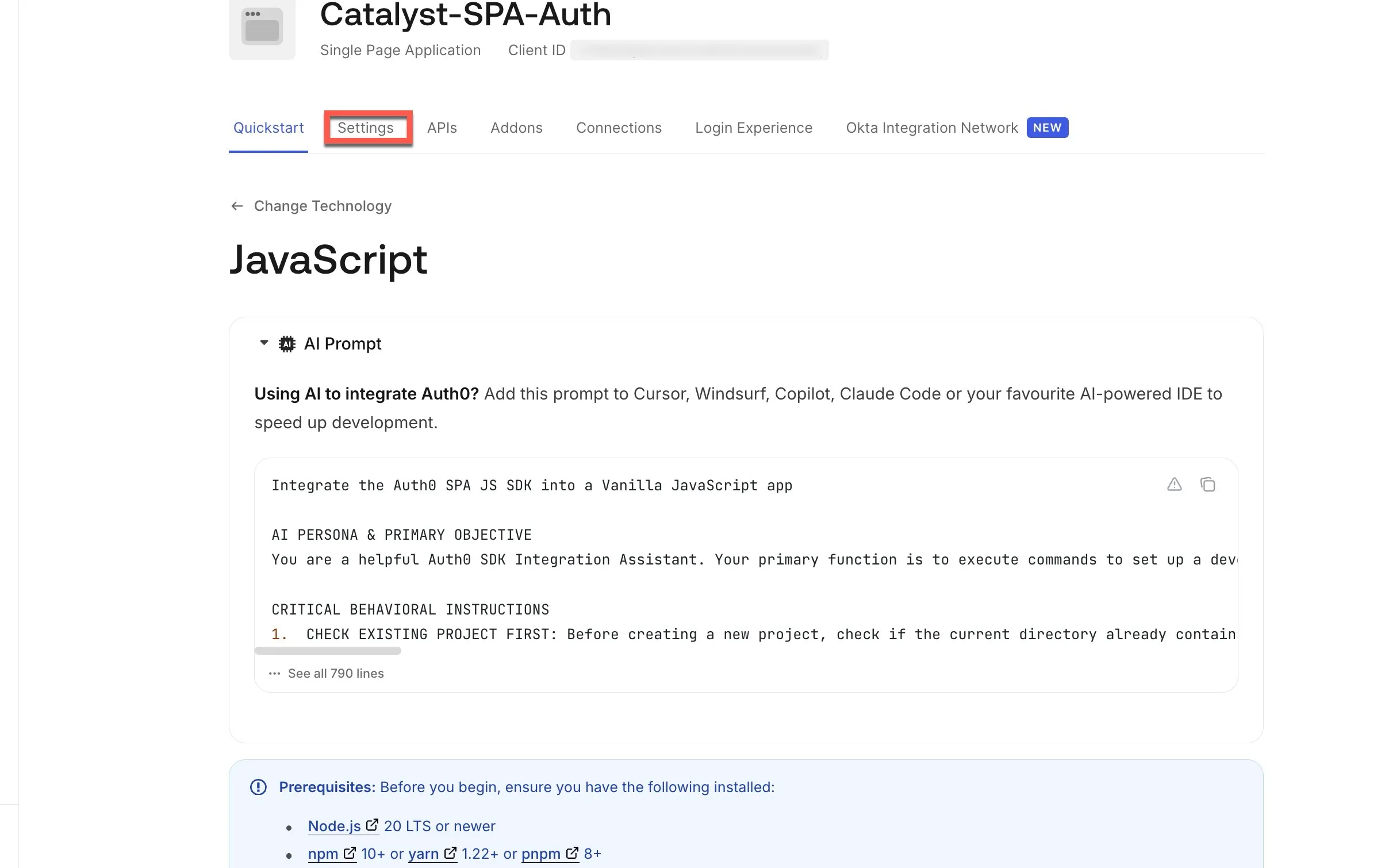
Click the Settings tab.
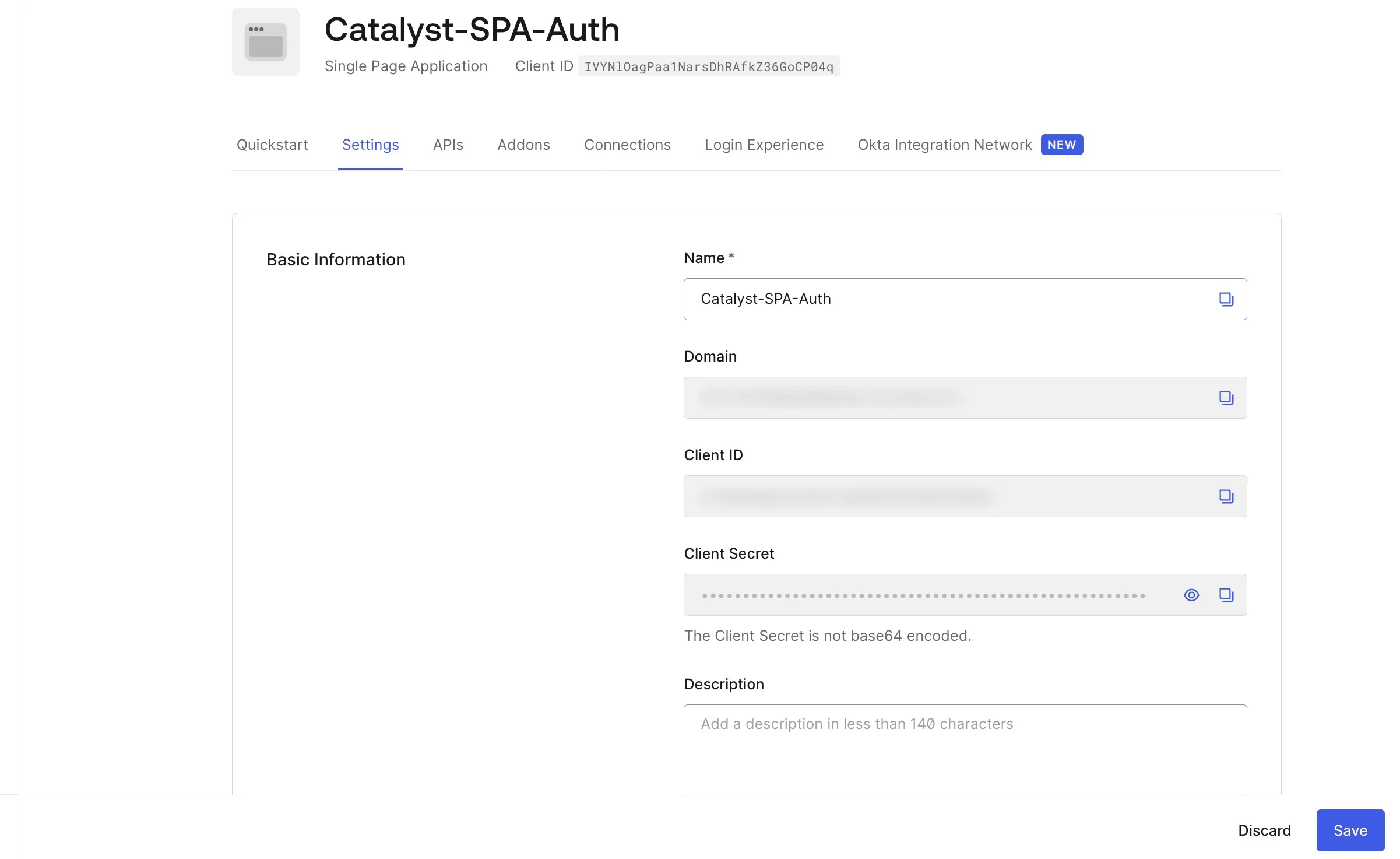
You will be able to view and copy the Domain, Client ID, and Client Secret.
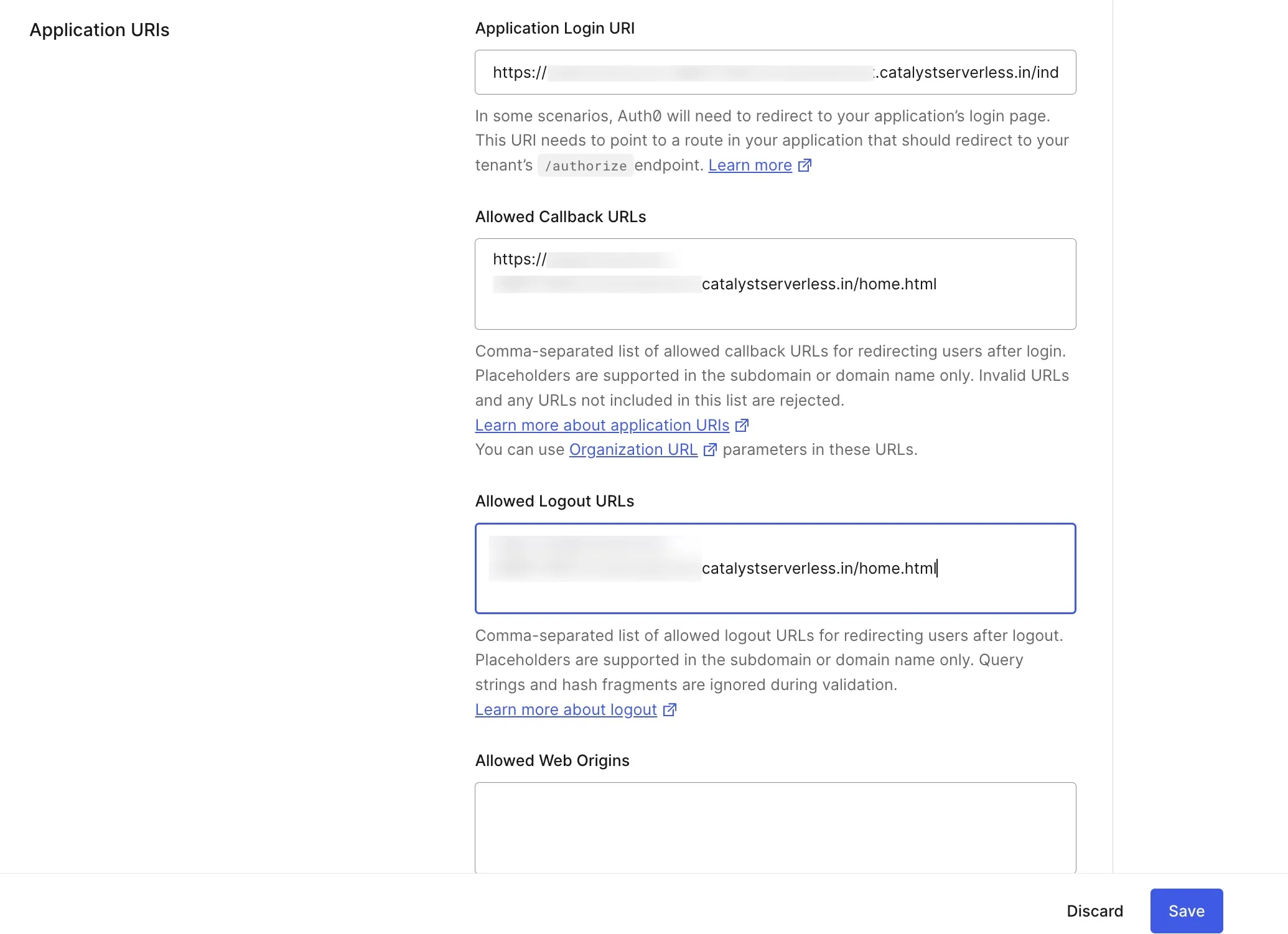
- Add the required Application URIs in the following format:
- Application Login URI: application domain/app/index.html
- Allowed Callback URLs: application domain/app/home.html
- Allowed Logout URLs: application domain/app/home.html
You can fetch these URLs as directed in the previous step.
Info: We will be diving into and configuring the index.html and home.html pages, when we configure the client.
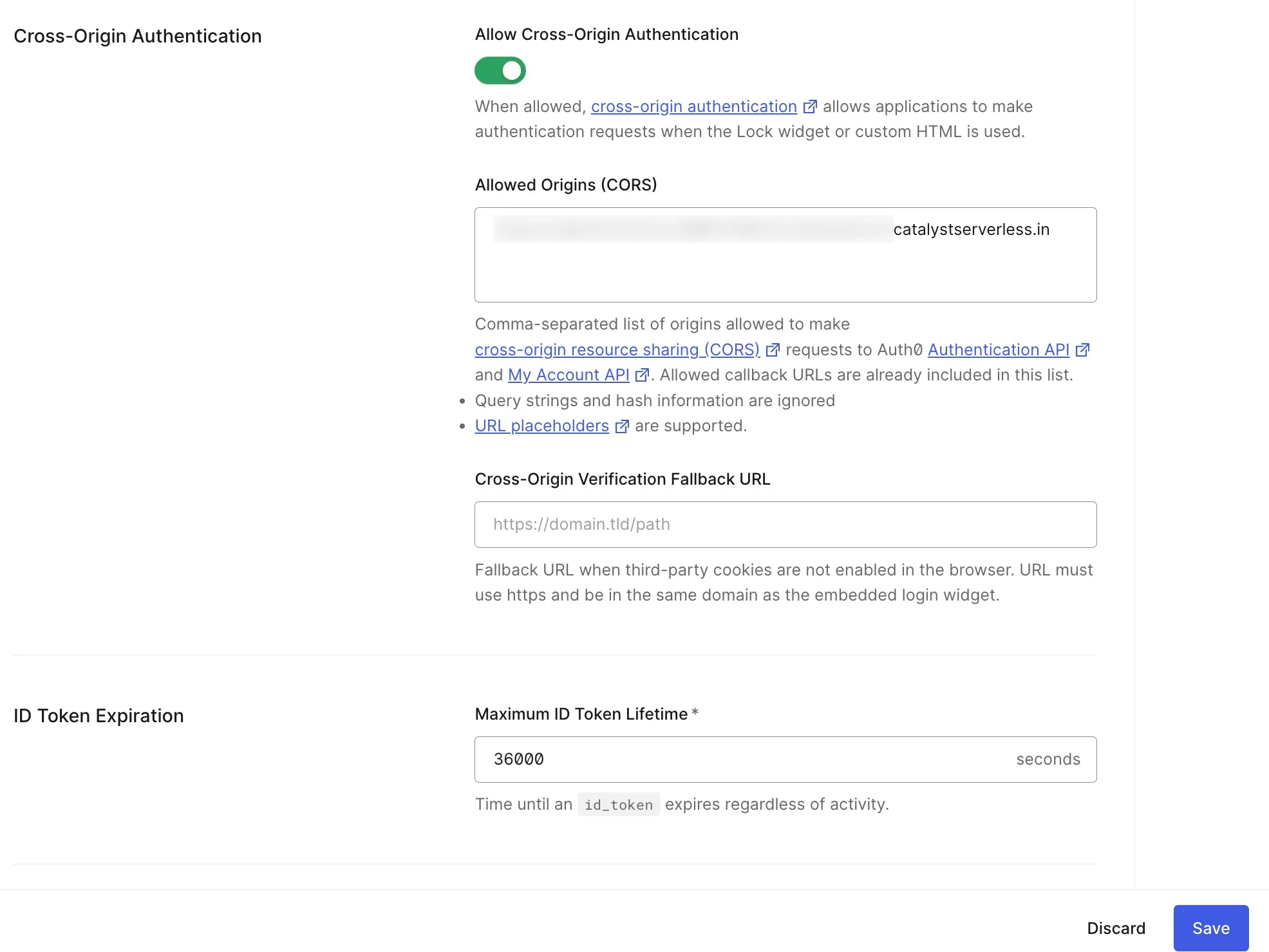
- Enable Cross-Origin Authentication and provide the application URL as the Allowed Origins (CORS), then click Save.
The Auth0 service is configured and enabled for your application.
Last Updated 2026-03-06 21:49:28 +0530 IST