---
title: "Objects \u0026 Its Associated Elements"
url: https://docs.catalyst.zoho.com/en/cloud-scale/help/stratus/objects/introduction/
description: "Stratus is a robust cloud storage solution powered by Catalyst. You can store data of any format type in the form of buckets and objects."
last_updated: 2026-09-08T11:07:33Z
service: Cloud Scale
type: general
related_links:
- name: "Create a Bucket"
url: /en/cloud-scale/help/stratus/buckets/create-bucket/
- name: "Upload an Object"
url: /en/cloud-scale/help/stratus/objects/upload-object/
- name: "Object Versioning"
url: /en/cloud-scale/help/stratus/stratus-config/general-settings/#versioning
- name: "Java SDK"
url: /en/sdk/java/v1/cloud-scale/stratus/overview/
- name: "JavaScript SDK"
url: /en/sdk/javascript/v1/cloudscale/stratus/overview/
- name: "Python SDK"
url: /en/sdk/python/v1/cloud-scale/stratus/overview/
- name: "iOS SDK"
url: /en/sdk/ios/v2/cloud-scale/stratus/overview/
- name: "Android SDK"
url: /en/sdk/android/v2/cloud-scale/stratus/overview/
- name: "Flutter SDK"
url: /en/sdk/flutter/v2/cloud-scale/stratus/overview/
- name: "REST API"
url: /en/api/code-reference/cloud-scale/stratus/get-all-buckets/#GetAllBuckets
---
# Objects
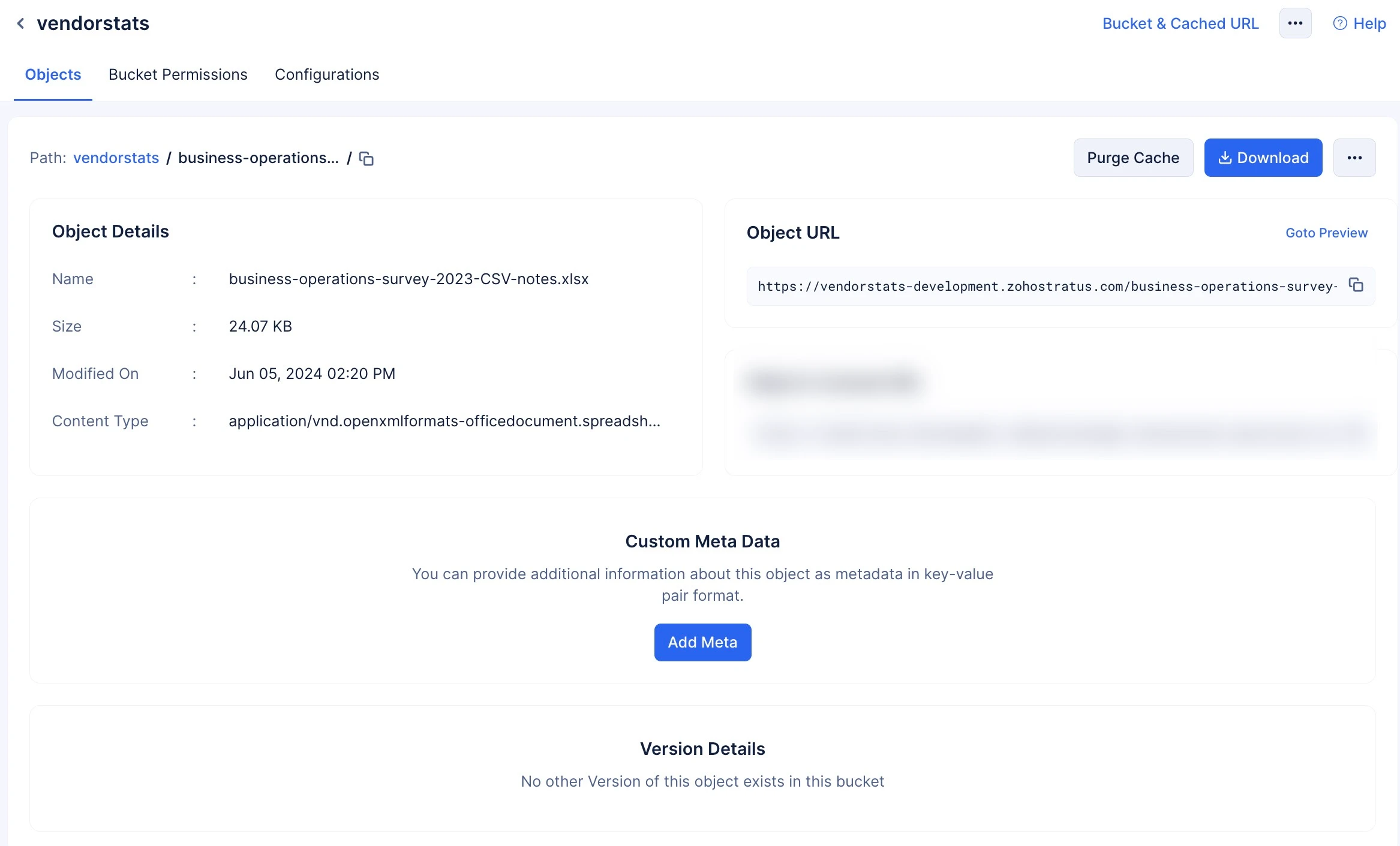
Objects are the data you store in buckets. Objects can be of any format type, and each of them can be accessed using an **Object URL** generated by Stratus.
### Object URL
This is a unique URL generated by Stratus to uniquely identify and securely access the object you upload to a bucket.
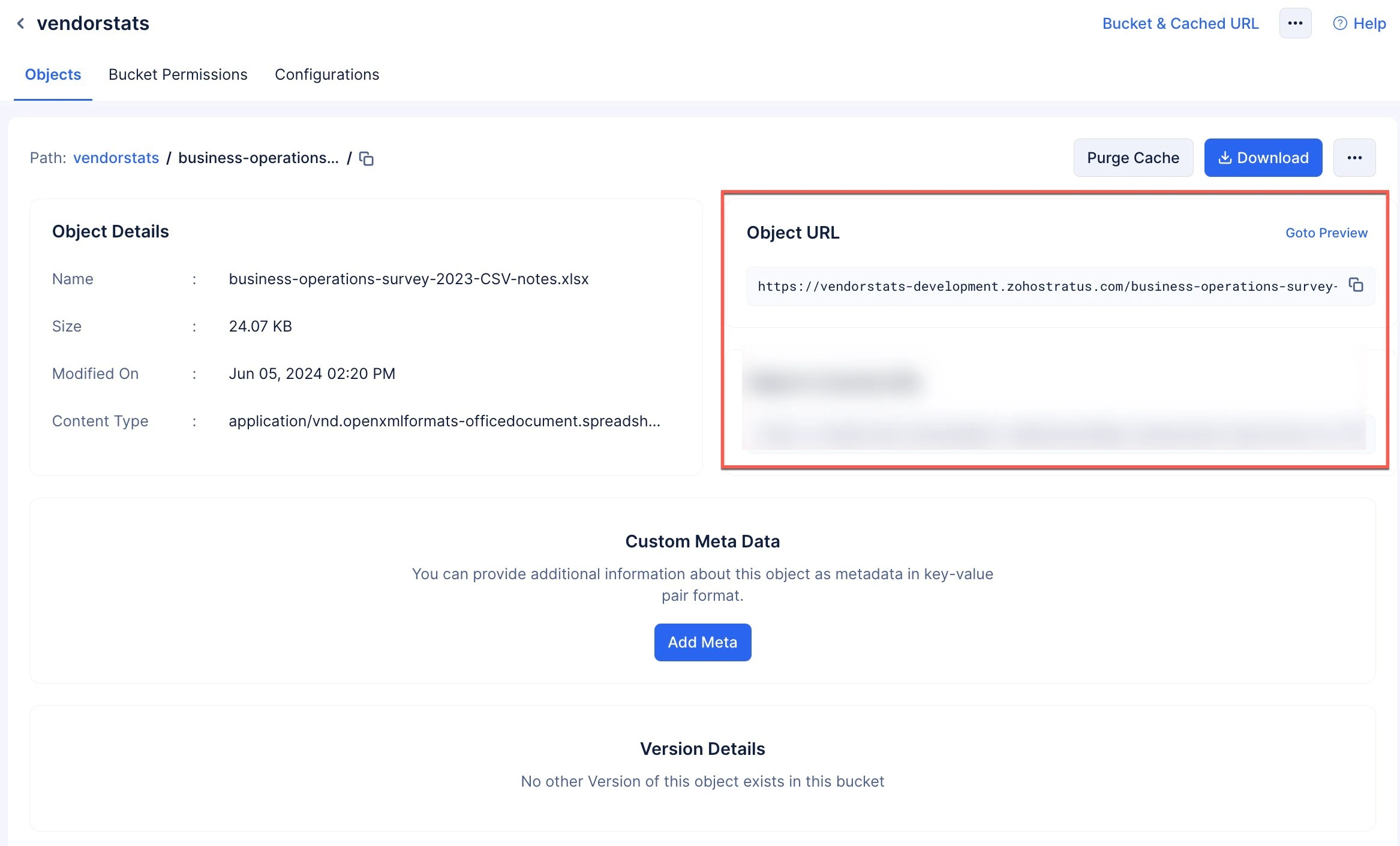
If you have enabled [Versioning](https://docs.catalyst.zoho.com/en/cloud-scale/help/stratus/stratus-config/general-settings/#versioning) for your bucket, then you can access each version of the object by using query params in the **Object URL** in a key value format. `versionId` being the key and the value being the string value generated by Stratus when you upload a version of the object.
The Object URL will be in the following formats:
* In [development environment](https://docs.catalyst.zoho.com/en/deployment-and-billing/environments/development-environment/):
**https://<bucket-name>-development.zohostratus.com/<object-name>**
For example: **https://mappedsample-development.zohostratus.com/Archive.zip**
* In [production environment](https://docs.catalyst.zoho.com/en/deployment-and-billing/environments/production-environment/):
**https://<bucket-name>.zohostratus.com/<object-name>**
For example: **https://mappedsample.zohostratus.com/Archive.zip**
* With **Versioning** enabled:
**https://<bucket-name>-development.zohostratus.com/<object-name>?versionid={versionid}**
For example: **https://mappedsample-development.zohostratus.com/Archive.zip?versionid=1233487326**
> **Note:** Object URLs' structures are subject to change based on the **DCs** they are created in a similar manner to [Bucket URLs](https://docs.catalyst.zoho.com/en/cloud-scale/help/stratus/buckets/create-bucket/#bucket-url).
### Path
Path is the location of an object in the bucket. When you create a bucket and upload objects in it, their path is created in the standard directory format.
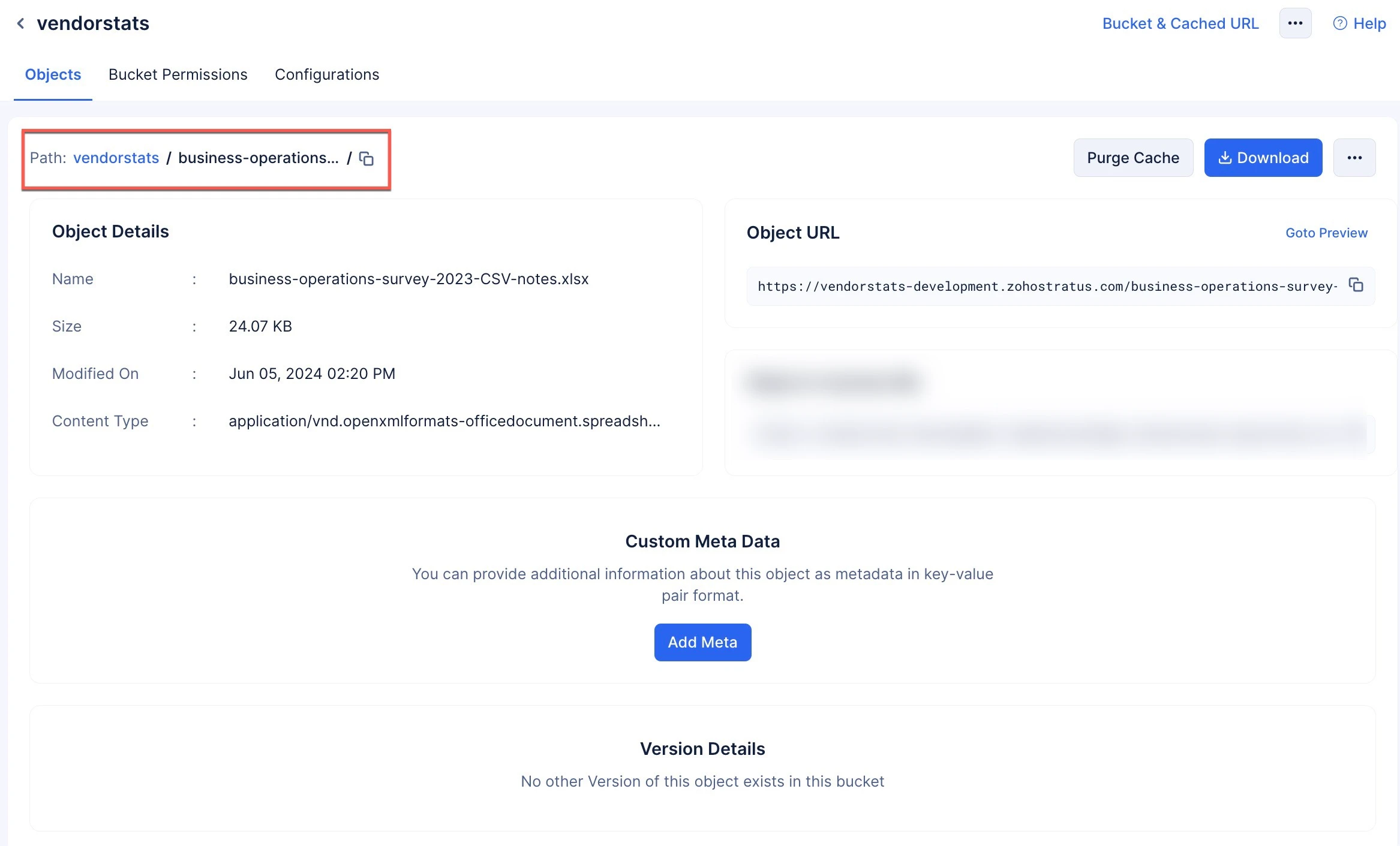
For example, imagine you create a bucket named "**MyPictures**". You can either create sub-paths in the bucket and store the objects in them, or directly store the objects. In this example, there is a sub-path with the name "**puppies**", and this path has an object named "**border_collie.jpeg**".
The object is stored in the following path:
**MyPictures/puppies/border_collie.jpeg**
> **Note:**
* A path can **never be empty**. It will either contain further paths to hold objects, or objects itself.
* The following characters including space are not supported when you create a path or an object: double quote, both angular brackets, hashtag, backward slash and pipe symbol.
* The path name and the object name should not start with a space character or a special character.
### Metadata
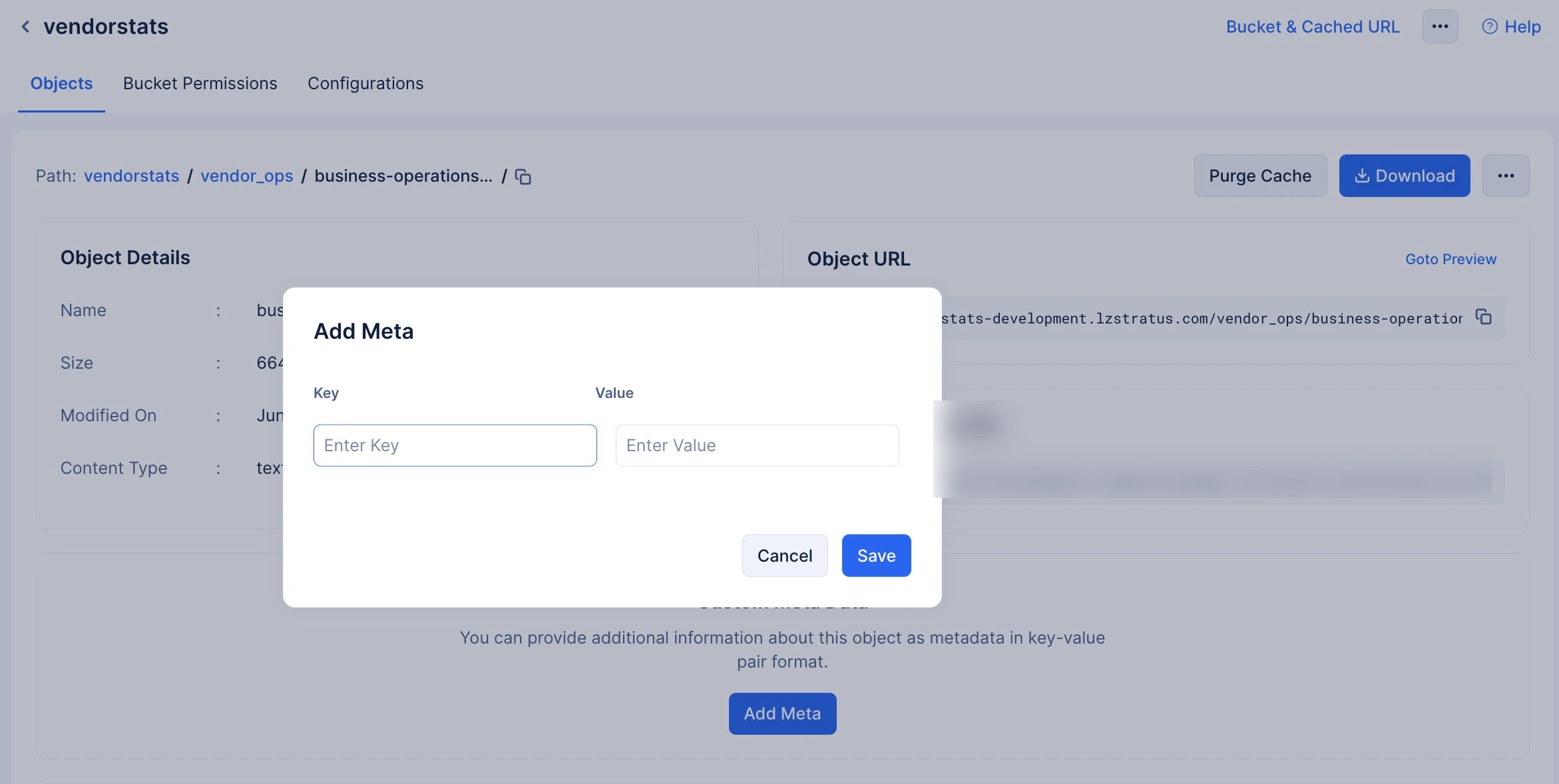
* You can provide custom information about the object in key value pair format using the Metadata option.
* You can use alphanumeric, underscores, or whitespace characters, as well as hyphens, to write your metadata. No other special character is allowed other than the ones mentioned.
* You can fetch the metadata of an object using the `HEAD` request method. In the response, the metadata will be listed in the key '`x-user-meta`'.
* The maximum size limit of characters allowed for the overall metadata is **2047** characters. The character count used to determine the size limit also includes the colon ":" special character used to define the key value pair.